
Thread Conversion Charts Explained for Embroiderers
Thread Conversion Charts Explained for Embroiderers ! Hands comparing embroidery thread colors A thread conversion chart maps color codes from one thread brand to the closest matches in another.

Thread Conversion Charts Explained for Embroiderers
A thread conversion chart maps color codes from one thread brand to the closest matches in another. If your pattern calls for Madeira 1082 but you stitch with Isacord, the chart tells you which Isacord number comes closest. That's the whole job. The catch: "closest" is never exact. Sheen, fiber content, dye lots, and even the light in your stitching room all shift the final result, so every chart is a starting point, not a guarantee.
One quick context note: "thread conversion" can mean two different things depending on where you search. In crafting, it refers to color matching between embroidery brands. In hardware and manufacturing, it refers to fastener thread specifications like pitch and TPI. This article covers embroidery color conversion only.
Key Takeaways
A thread conversion chart is a starting point for color substitution, not a guarantee: always swatch-test before committing to a full stitchout.
| Point | Details |
|---|---|
| Charts are approximate | Fiber type, sheen, dye lots, and lighting all shift the stitched result from what the chart predicts. |
| Prioritize color role | Match shadow, highlight, or fill value before chasing an exact hue number. |
| Official PDFs are reliable | Brother, EmbroideryOnline, and ThreadArt publish free, downloadable conversion charts. |
| Delta E quantifies matches | A Delta E below 1.0 is imperceptible; above 3.0 is a visible difference you'll notice stitched out. |
| Flossom adds stash awareness | Flossom covers 55 brands and shows which substitute colors you already own before you shop. |
Table of Contents
- What does a thread conversion chart actually do?
- Where can you find reliable conversion charts?
- How to read and apply a conversion chart step by step
- Common thread brands you'll see on charts
- Digital tools that take the guesswork out of conversion
- Best practices and common pitfalls when converting
- Why a stash-aware workflow saves more than just money
- Flossom covers 55 brands so you can stitch, not search
- Where to find official charts and conversion tools
- Sources
What does a thread conversion chart actually do?
A thread conversion chart is the resource embroidery and cross-stitch crafters reach for when the exact required thread is unavailable. It preserves contrast, shadow, and highlights by pointing you to the nearest equivalent in a different brand's lineup. Without one, you're guessing by eye across hundreds of color codes.
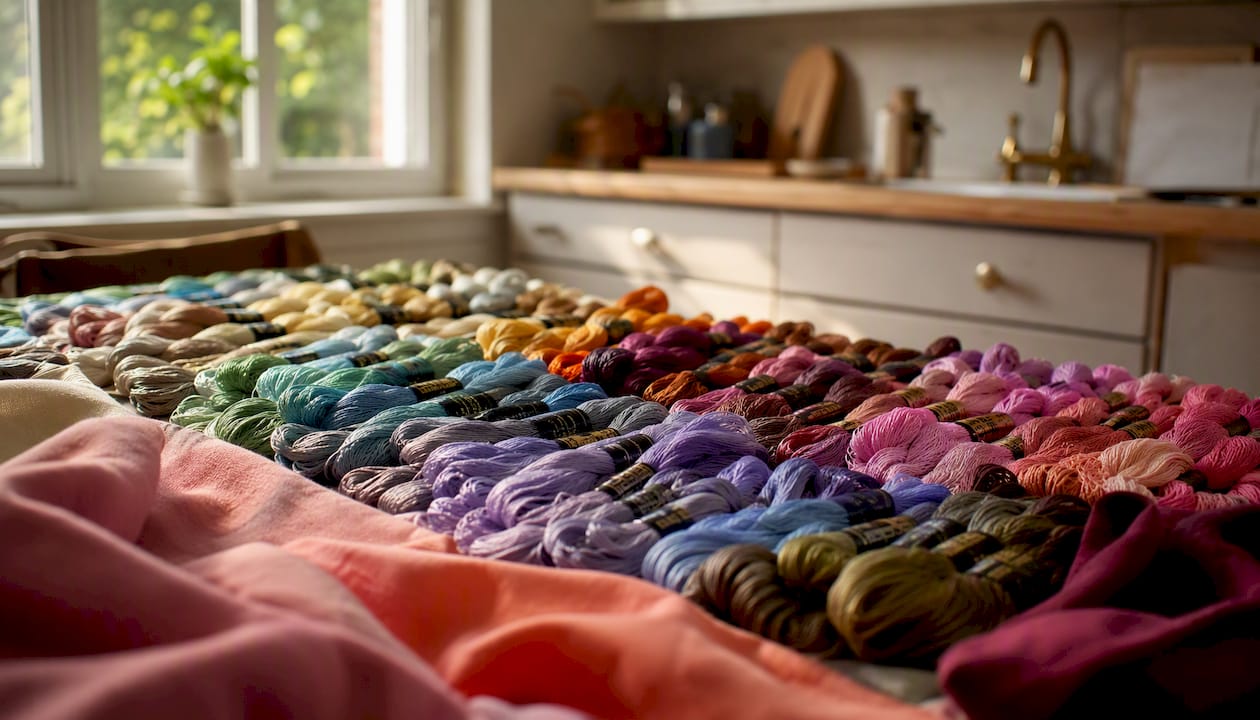
Charts exist because the embroidery thread market is fragmented. DMC, Anchor, Madeira, Isacord, Sulky, and a dozen other brands each publish their own numbering systems with no universal standard. A pattern designed for DMC 321 (a classic red) doesn't automatically tell you which Anchor or Isacord number sits in the same color neighborhood. A conversion chart closes that gap.
What a chart typically contains:
- Source brand color code and color name
- Target brand color code (one or more candidates)
- Sometimes: RGB or Pantone values for more precise matching
- Sometimes: a small color swatch or hex value for visual reference
Where can you find reliable conversion charts?
The most trustworthy charts come directly from manufacturers and established embroidery retailers.
Manufacturer and brand sources:
- Brother publishes official thread color conversion PDFs for their supported machine thread lines, pairing compatible thread brands by color code.
- EmbroideryOnline hosts brand-to-brand PDFs such as Madeira Polyneon to Isacord, formatted for offline use at the machine.
- ThreadArt publishes conversion charts with RGB and Pantone values in both HTML and PDF formats, useful for color-critical projects.
Practical storage tips: Download PDFs to a dedicated folder on your phone or tablet so you have them offline at the machine. Save RGB export files separately if your digitizing software accepts catalog imports.
Static charts do have a shelf life. Manufacturers occasionally discontinue colors or reformulate dyes, which means a printed chart from a few years ago may point you to a color that no longer exists. Digital tools and regularly updated online converters tend to stay current faster than a PDF you saved in 2022.
How to read and apply a conversion chart step by step
The short version: identify the color's role in your design, find the chart match, check fiber and weight, stitch a small sample, then evaluate it under your actual lighting before committing.
Step-by-step workflow:
- Identify the color's role. Is this thread a shadow, a highlight, or a mid-tone fill? That role matters more than the exact hue number.
- Look up the source color code in your chart (brand A → brand B).
- Note any alternative candidates the chart lists. Most charts give one primary match; some give two or three ranked options.
- Check fiber type and weight. A 40-weight polyester and a 40-weight rayon can look very different stitched out, even at the same color code.
- Stitch a small test sample on the same fabric you'll use for the project.
- Evaluate under your final lighting. Daylight, warm indoor light, and fluorescent light each read colors differently.
Pro Tip: When choosing between two close candidates, prioritize value (lightness or darkness) over exact hue. A shadow that reads too light will flatten your design far more noticeably than a shadow that's slightly cooler in tone.
For digitizers working in Wilcom or Embird, importing a brand's color catalog directly into your software aligns the on-screen preview with the physical thread you plan to use, which reduces guesswork during the design phase. ThreadArt's RGB data is particularly useful here.
Common thread brands you'll see on charts
Most conversion charts cluster around a core set of brands. Here's what to expect from each when you're converting embroidery thread brands:
- DMC — 6-strand cotton floss, the default reference for cross-stitch. Most charts use DMC as the base column.
- Anchor — Also 6-strand cotton, slightly different dye palette. Anchor and DMC are the two most commonly cross-referenced brands.
- Madeira — Offers both rayon (Rayon 40) and polyester (Polyneon) lines. Higher sheen than cotton; conversions from cotton brands require a swatch test.
- Isacord — Polyester machine embroidery thread, widely used for its colorfastness and broad color range. A common target brand on machine embroidery charts.
- Sulky — Primarily rayon, with a distinctive high sheen. Colors can look noticeably brighter stitched than they appear on a chart.
- Mettler — Cotton and polyester options; well-regarded for consistent dye lots.
- Timeless — A polyester machine embroidery thread line; appears on several retailer conversion charts.
- Dakota — Polyester machine embroidery thread; often listed alongside Isacord on multi-brand charts.
- ThreadArt — Publishes its own RGB and Pantone data, making it one of the more color-precise options for critical matching.
- Brother — Publishes official conversion PDFs tied to their embroidery machine thread systems.
DMC and Anchor are the most practical reference bases for a hand-stitching stash. For machine embroidery, Isacord functions as the de facto standard that most other brands map to.
Digital tools that take the guesswork out of conversion
Static charts answer one question: "What's the closest match?" Digital tools answer a better one: "Do I already own it?"
Stash-aware tools let you catalogue your thread collection across many brands and show instantly whether you own a substitute before you drive to the store. That's a meaningful shift from flipping through a PDF.
Tools worth knowing:
- Online Delta E converters (such as the EZStitch thread color converter) use CIE Lab color space to rank candidates by perceptual accuracy. A Delta E below 1.0 is imperceptible to most eyes; above 3.0 is a visible difference.
- Catalog importers let you load brand-specific thread libraries into digitizing software for accurate on-screen previews.
- Flossom covers all of the above and adds stash awareness: it catalogues your threads across 55 brands, compares your pattern's required colors against what you own, and generates a shopping list for only what's missing.
Workflow with a digital tool:
- Import your pattern PDF into the app.
- Review the mapped thread colors and their suggested conversions.
- Check which colors you already own in your stash.
- Add only the missing threads to your shopping list.
Pro Tip: If your tool includes a camera color picker, use it on your physical fabric swatch rather than a screen preview. Fabric texture and background color shift how a thread reads in real life, and the camera pick captures that context.
Delta E is precise, but it measures color in isolation. A thread that scores well numerically can still look off against a specific fabric or alongside neighboring colors in a design. The physical swatch remains the final word.
Best practices and common pitfalls when converting
Quick checklist before you stitch:
- Swatch-test every conversion on the actual project fabric
- Match the color's role (shadow, highlight, fill) before chasing an exact number
- Confirm fiber type and thread weight match the original specification
- Check the dye lot if you're buying multiple spools of the same color
- Evaluate your test swatch under the lighting where the finished piece will live
Common pitfalls:
- Exact-number fixation. The chart number is a suggestion. Two threads with adjacent codes from different brands can look further apart than two threads three codes apart from the same brand.
- Ignoring thread weight. A 30-weight thread stitched where a 40-weight was specified will look heavier and cover differently, regardless of color accuracy.
- Trusting screen previews. Monitor calibration varies. A color that looks perfect on screen can read cooler or warmer stitched out.
- Specialty threads. Variegated and metallic threads behave differently from solid polyester or cotton. They rarely have direct chart equivalents and almost always need a test stitch.
If a converted blue reads too cool after stitchout, try the next warmer candidate from your chart's alternate matches, or pull a thread from your stash that sits one step warmer in value. Don't restart from scratch; adjust incrementally.
Why a stash-aware workflow saves more than just money
The real cost of a poor conversion workflow isn't the thread you buy. It's the time you lose: the mid-project store run, the rework when a color reads wrong, the duplicate skeins accumulating in a drawer because you couldn't remember what you already owned.
Treating conversion as part of project planning rather than an afterthought changes that. When you know your stash before you start, you convert with context. You're not just asking "what's closest?" You're asking "what's closest that I already have?" That question is faster to answer and cheaper to act on. Catalog imports and shopping-list automation make the workflow repeatable, not a one-off scramble.
Flossom covers 55 brands so you can stitch, not search
Flossom is a stash-aware embroidery companion built for exactly this problem. It catalogues your threads across 55 brands, maps your pattern's required colors against what you already own, and generates a shopping list for only the gaps.
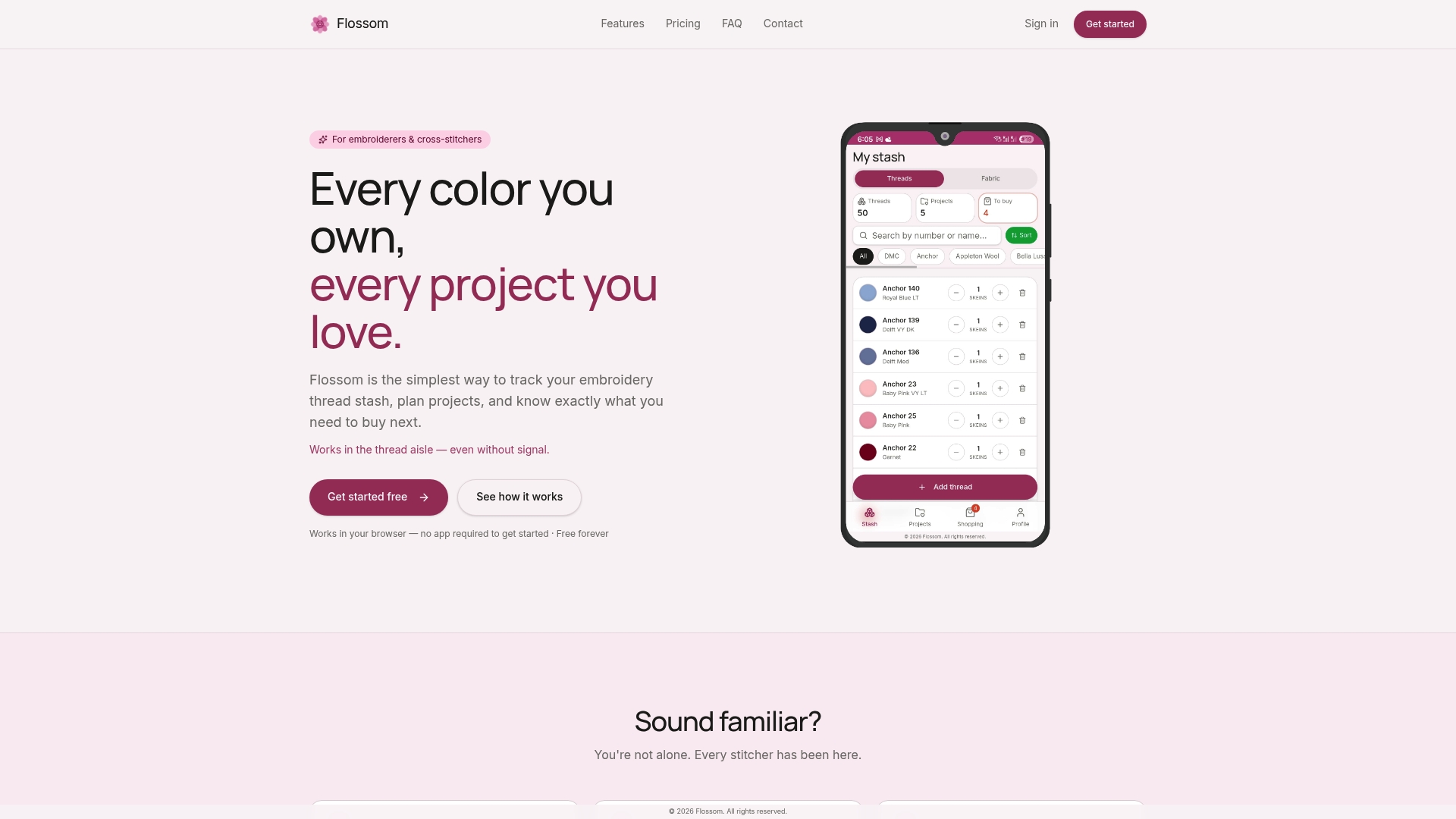
- Convert colors across 55 thread brands, including DMC, Anchor, Madeira, Isacord, Sulky, and more
- Upload pattern PDFs and see which threads you already own versus what you need to buy
- Use the camera color picker to match threads to your actual fabric
- Set low-stock alerts so you never run short mid-project
The free tier covers DMC and Anchor with unlimited stash and three projects. Ready to try it? Browse a free pattern in Flossom's library and see how your stash maps to it, or go straight to Flossom's tools to start converting.
Where to find official charts and conversion tools
Curated sources:
- B-Sew Inn conversion guide — practical overview of how to use charts, with brand examples
- Brother official PDF — machine-specific thread color conversion for Brother embroidery systems
- EmbroideryOnline Madeira-to-Isacord PDF — downloadable, printable, offline-ready
- ThreadArt conversion chart — includes RGB and Pantone values for color-critical matching
- EZStitch Delta E converter — free online tool using CIE Lab for perceptually ranked matches
- MaggieFrames conversion guide — machine embroidery focus with stash-aware workflow advice
Whatever source you use, always verify with a physical swatch under your actual stitching light. No chart, PDF, or Delta E score replaces the test stitch.
Sources
- Embroidery Thread Conversion Chart Your Ultimate Guide – B-Sew Inn
- Ultimate Guide to Thread Conversion Charts for Machine Embroidery – MaggieFrames
- Threadart
- Thread Color Converter | Match Any Brand Instantly Free charts
- Thread color conversion chart — Brother help
- Madeira Polyneon to Isacord conversion chart — EmbroideryOnline
- Thread specification calculator — Brassland
Recommended
We make Flossom — the calm app for cross-stitchers and embroiderers who want their stash, projects, fabric and shopping list in one tidy place.