
Stop Rebuying the Same Floss Colors for Good
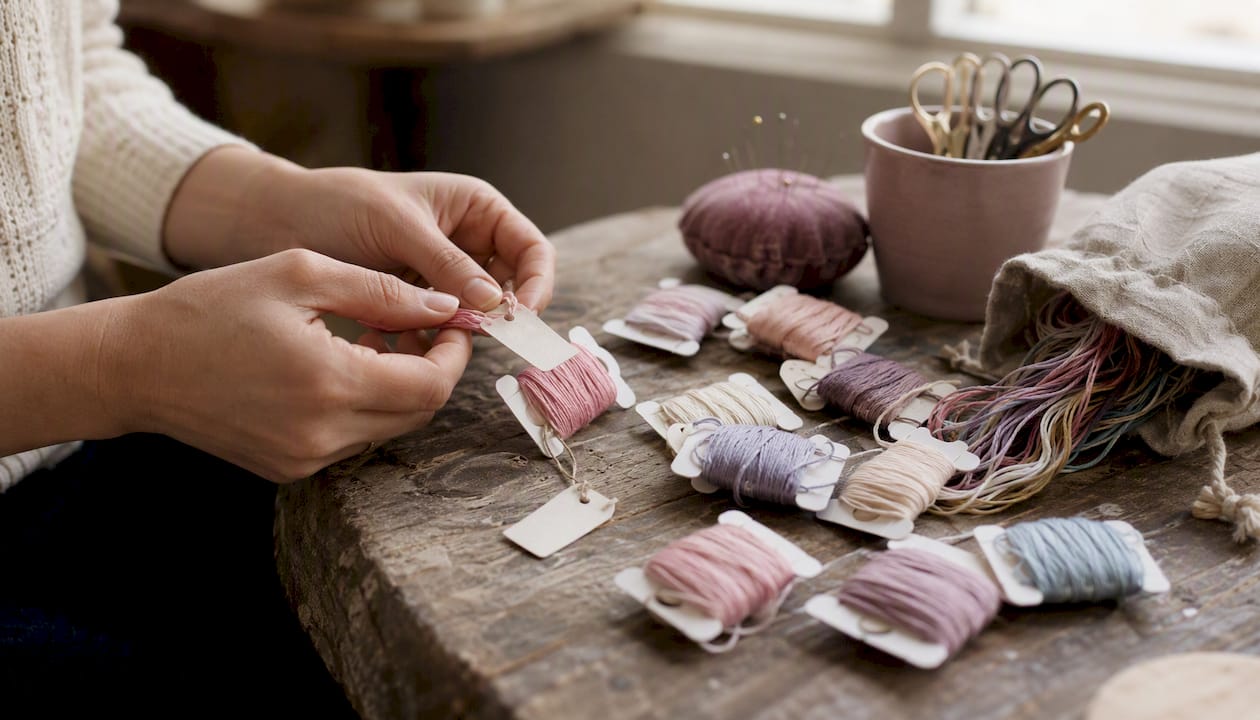
Stop Rebuying the Same Floss Colors for Good ! Hands labeling floss bobbins on craft table The fastest way to never rebuy duplicate floss colors is a three-part system: label every skein by brand and DMC number, keep one master inventory (a CSV spreadsheet or an app like Flossom), and run a quick pre-purchase check before every order.
Stop Rebuying the Same Floss Colors for Good
The fastest way to never rebuy duplicate floss colors is a three-part system: label every skein by brand and DMC number, keep one master inventory (a CSV spreadsheet or an app like Flossom), and run a quick pre-purchase check before every order. That's it. Three steps, done consistently, and the problem disappears.
Here's the minimal workflow to start today:
- Gather all your floss and sort by brand, then by color number within each brand.
- Record every color in a single inventory list: brand, DMC number, quantity, location.
- Before buying anything, search your inventory for the color number first.
- Add only colors with zero stock (or below your restock threshold) to your cart.
- When you pull skeins for a project, mark them "reserved" in your inventory so they don't look like free stock.
Quick example: your pattern calls for DMC 796 in two skeins. You search your inventory, find one skein already reserved in a WIP bag, and buy exactly one skein. No duplicate, no waste.
Key Takeaways
A clean, repeatable system of labeling, a single master inventory, and a pre-purchase check is all it takes to stop buying duplicate floss colors permanently.
| Point | Details |
|---|---|
| Label by brand and number | Write brand + DMC color number + quantity on every bobbin before storing it. |
| One master inventory | Keep a single CSV or app-based record as the only source of truth for your stash. |
| Reserve allocated skeins | Flag project skeins as reserved in your inventory so they never look like free stock. |
| Pre-purchase check every time | Search inventory by color number and buy only what's missing or below your restock threshold. |
| Flossom automates the system | Flossom compares pattern needs to your stash and generates a shopping list so duplicate buys stop automatically. |
Table of Contents
- Why you keep buying duplicate floss colors
- How to organize and label your physical stash
- How to build a master floss inventory that actually works
- How to track quantities and set restock rules
- How to keep project floss separate from your main stash
- The pre-purchase check you should run every time
- How to handle discontinued DMC colors and near-matches
- Why Flossom makes this system nearly automatic
- Downloadable resources to get started fast
- The habit that actually makes the difference long-term
- Flossom keeps your stash honest so you stop wasting money on duplicates
- Sources
Why you keep buying duplicate floss colors
Duplicates are almost always a process failure, not bad luck. The stash is scattered across three rooms, a project bag, and a craft fair haul from six months ago. Nobody tracks quantities, only vague ownership ("I think I have that blue somewhere"). Labels fall off bobbins. Brand conversion charts get lost. A sale hits and you buy speculatively.
The single most common scenario: a WIP sits in a project bag with two skeins of DMC 3750 tucked inside. The main stash box also has one skein. You forget about the bag, search the box, find nothing, and order two more. Now you own five skeins of a color you use once a year.
DMC's numbering system exists precisely to prevent this. Every shade has a unique four-digit code, which means "DMC 301" is an unambiguous identifier across every shop, pattern, and stash in the world. The system only works, though, if you actually use those numbers consistently in your inventory. Without them, you're matching by eye and memory, and memory loses.
How to organize and label your physical stash
Sort by brand first, then by color number in ascending order within each brand. DMC goes in one section, Anchor in another, and so on. This sounds obvious, but rebobbining, labeling numerically, and doing periodic stash maintenance are the concrete habits that prevent the "I forgot I had this" repurchase.
Step-by-step:
- Gather every skein from every bag, box, drawer, and project kit.
- Rebobbin loose or tangled thread onto plastic bobbins or cardboard cards.
- Write (or stamp) the label directly on the bobbin: brand + color number + quantity + any project tag.
- Group bobbins into a binder with numbered dividers, a clear plastic box with labeled compartments, or resealable bags sorted into a binder ring.
- Keep different manufacturers in physically separate sections. If you intentionally substitute a similar shade from another brand, add a small conversion note on the bobbin itself.
A useful label format: DMC 301 | 2 skeins | reserved: Autumn Fox WIP. That one label tells you the color, how much you have, and whether it's already spoken for.
Pro Tip: Snap a quick photo of each labeled bobbin and attach it to the inventory entry. When you're shopping on your phone and need to confirm a color visually, the photo saves you from squinting at a tiny color swatch on a retailer's website.
Consistent card and bobbin systems are among the most practical methods for large collections, especially when paired with a printable organizer card that matches the bobbin label format.
How to build a master floss inventory that actually works
A single master inventory is the source of truth for your entire stash. Without it, you're relying on memory and visual scanning, both of which fail the moment a skein ends up in the wrong bag. Use either a simple CSV spreadsheet or a dedicated app like Flossom.
The minimal useful fields per row:
- Brand (e.g., DMC, Anchor, Sulky)
- Color number (e.g., 301)
- Color name (e.g., Medium Brown, optional but helpful)
- Quantity (skeins or meters)
- Location (shelf box A, project bag "Autumn Fox," etc.)
- Reserved flag (yes/no or project name)
- Notes (discontinued, substitute for 300, photo filename)
Here's what a single inventory row looks like as a CSV:
To import this into Flossom or a similar app, save the file as a UTF-8 CSV with those column headers, then use the app's import function. Flossom accepts CSV import and export, so you can start in a spreadsheet and migrate later without retyping everything.
Gathering your stash, writing down every number, and updating the list each time you buy or use a color is the core habit that stops double-buying. The update step is where most people slip. Build it into your shopping routine: the moment you get home from a craft store, add the new skeins before you put them away.
For fast updates, photograph new skeins in a batch and enter them while the photo is still on your screen. A monthly five-minute audit, where you physically count one box or bag and compare it to the inventory, catches drift before it compounds.
How to track quantities and set restock rules
Tracking ownership is not enough. You need counts, because "I have DMC 796" and "I have one skein of DMC 796 already reserved for a WIP" are completely different situations.
Record quantities in skeins (or meters if you work from cut lengths). Decrement the count when you allocate a color to a project. A simple rule set covers most stashes:
- Frequently used colors (neutrals, blacks, whites): restock when stock drops to 1 skein or fewer.
- Occasional colors: restock only when stock hits zero.
- Project-specific colors: buy only what the pattern requires, no buffer.
Worked example: your pattern needs 2 skeins of DMC 310 (black). Your inventory shows 3 skeins, with 1 reserved for another WIP. Available stock is 2. You need 2. No purchase required. If the pattern needed 3, you'd buy 1 skein only.
Flossom's floss calculator helps estimate how much thread a project will actually consume, which makes those allocation decisions more precise than guessing from a skein count alone.
How to keep project floss separate from your main stash
The main stash and active-project floss must live in different places, with a clear flag in your inventory marking which skeins are reserved. Without that separation, you'll pull a "free" skein from a project bag, leave the WIP short, and then buy a replacement that creates a duplicate.
Setting up a project bag:
- Print a small color checklist for the project (color number, name, quantity needed).
- Bobbin the required skeins and label each one with the project name.
- Place them in a dedicated zip bag or divided box and mark the bag with the project name.
- Update the master inventory: set the reserved flag to the project name for each allocated skein.
For storage options, the right container depends on how you stitch:
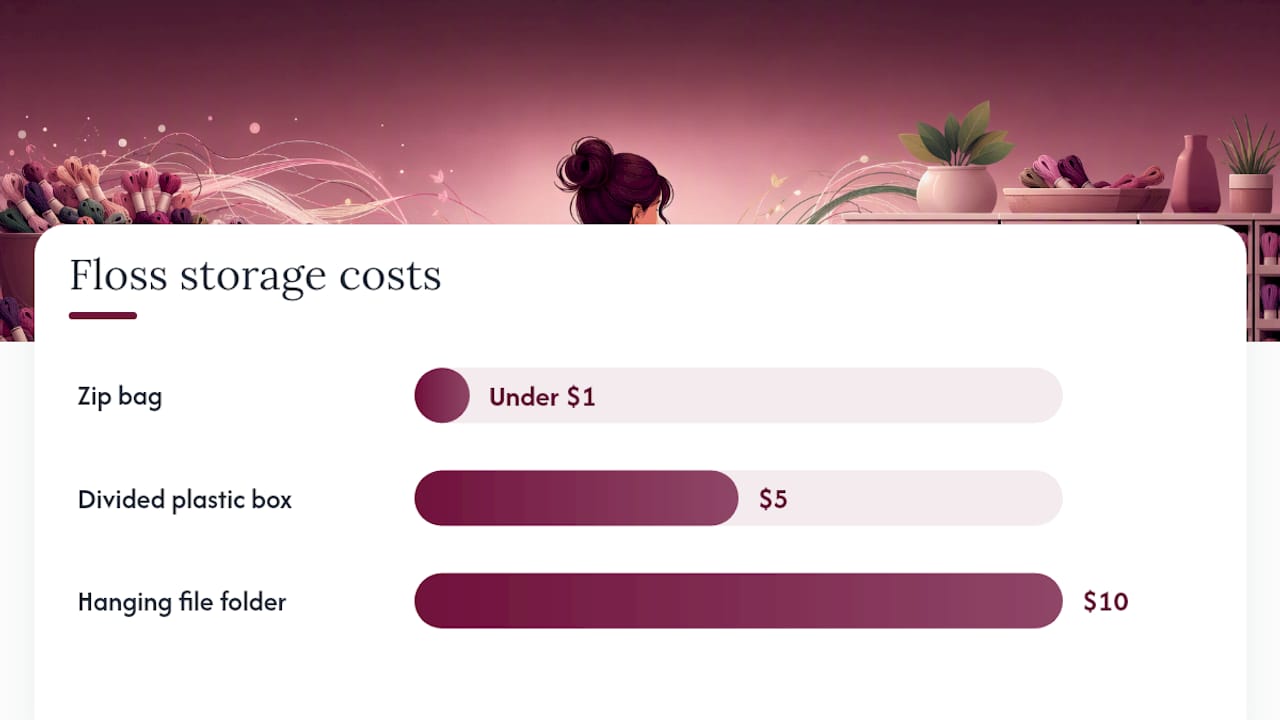
| Storage type | Portability | Capacity | Approximate cost | Best for |
|---|---|---|---|---|
| Zip bag (quart or gallon) | High | Small to medium | Under $1 | Travel, single projects |
| Divided plastic box | Low | Medium to large | $5 | Home stitching, multiple WIPs |
| Hanging file folder | Medium | Large | $10 | Binder-based stash systems |
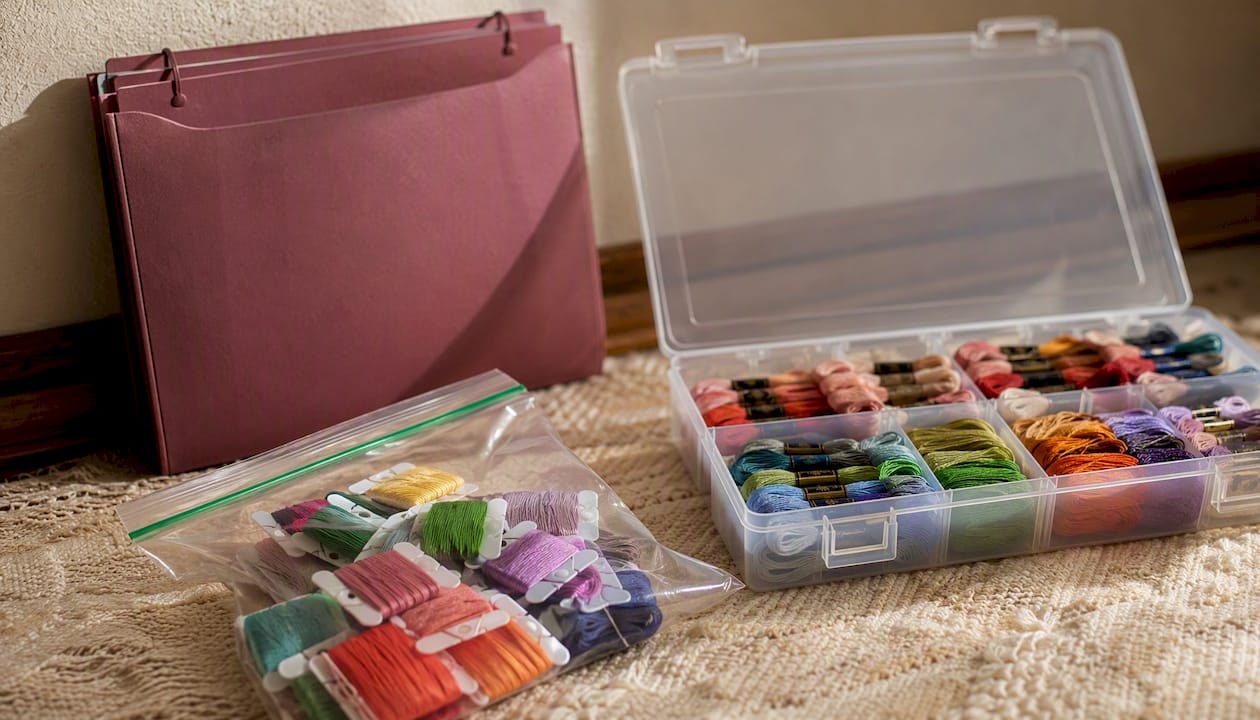
For tracking multiple active WIPs without losing track of which skeins belong where, a consistent naming convention on both the bag and the inventory entry is what keeps things straight.
When a project finishes, return any leftover skeins to the main stash immediately, update the quantity, and clear the reserved flag. A small "scrap jar" for cut lengths too short to rebobbin keeps those tidy without cluttering the main inventory.
The pre-purchase check you should run every time
Always run a four-step pre-purchase check before adding any floss to your cart, whether you're shopping in a store or online.
- Open your master inventory and search by brand + color number.
- Check the available quantity and confirm whether any stock is already reserved.
- Review your restock rules: is the color below threshold, or is stock genuinely zero?
- Add only the missing quantity to your shopping list or app-generated cart.
Example: a new pattern needs DMC 796 in 2 skeins. You search your inventory. You find 1 skein, reserved for a current WIP. Available stock: 0. You buy 2 skeins. Done.
On a mobile device, Flossom's barcode scanner lets you scan a skein in the store and check your stash instantly. For building a shopping list that matches your actual pattern needs, Flossom auto-generates the list by comparing pattern requirements against your stash, so the check happens automatically rather than manually.
How to handle discontinued DMC colors and near-matches
Mark discontinued colors in your inventory as soon as you discover them. Add a substitute note in the notes field: brand, color number, and whether you've tested the substitute with a stitched swatch.
For your inventory:
- Set a "discontinued" flag or note in the notes column.
- Record the substitute color number and brand alongside it.
- Note whether the substitute has been swatch-tested (yes/no).
- Keep a small labeled bag of discontinued skeins and their tested substitutes together, separate from the main stash.
Brand conversions are a starting point, not a final answer. Flossom's thread conversion tool converts across 55 brands and gives you a candidate substitute, but dye lots and fiber content vary enough that a stitched swatch is the only reliable confirmation. A conversion that looks identical on screen can read noticeably different on 28-count evenweave.
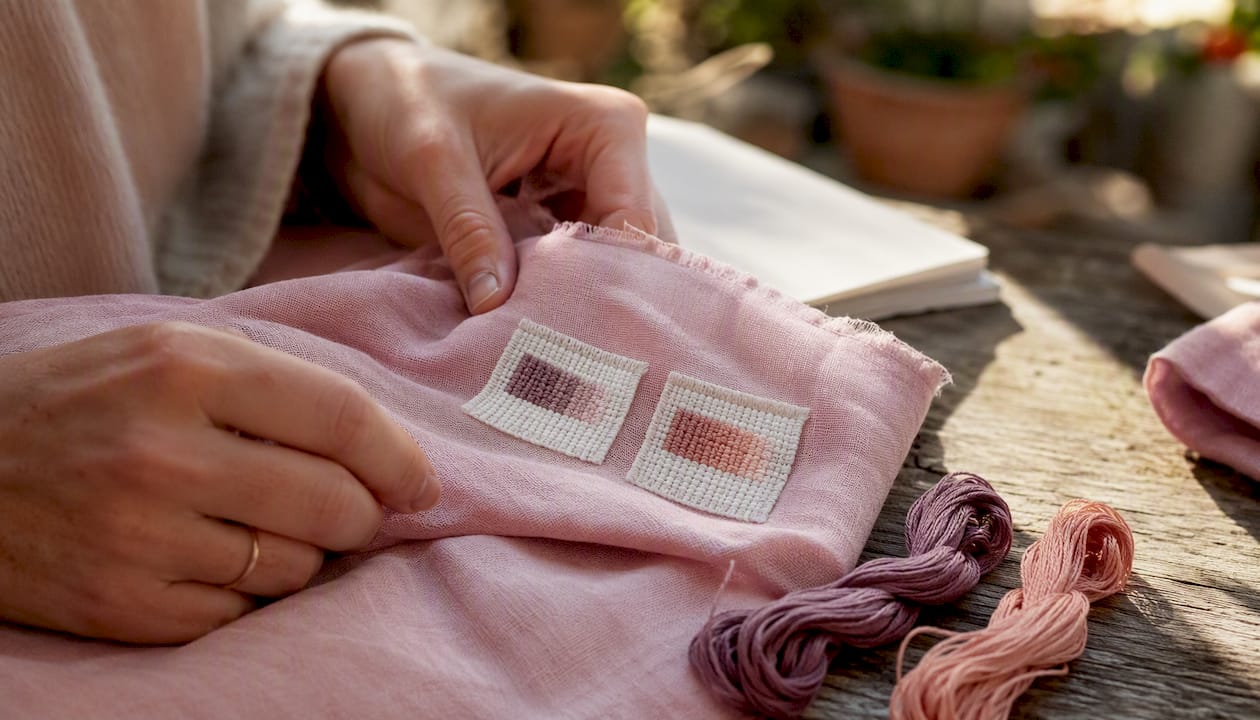
Pro Tip: When you accept a substitute for a discontinued color, stitch a small test square on a scrap of your actual project fabric and photograph it next to the original. Attach that photo filename to the inventory notes field so future-you has proof the match works.
Why Flossom makes this system nearly automatic
Flossom automates the master inventory and pre-purchase check so the manual steps shrink to almost nothing. Instead of maintaining a spreadsheet by hand and cross-referencing it before every order, the app does the comparison for you.
Key features:
- Unlimited stash syncing across all your devices (browser, iOS, Android)
- DMC and Anchor catalogs included in the free tier, with up to 3 projects
- Auto-generated shopping lists that compare your pattern's requirements against your owned stash
- Barcode scanner and camera color picker (Pro) for fast skein entry
- CSV import and export for migrating from a spreadsheet or backing up your data
- Low-stock alerts so you know when a frequently used color is running low
- Brand conversion across 55 thread brands (Pro)
Quick start with Flossom:
- Import your existing stash via CSV, or scan skeins one by one with the barcode scanner.
- Upload a pattern PDF or photo and let Flossom generate a shopping list against your stash.
- Set low-stock alerts for your most-used colors and run the pre-purchase check from any device before checkout.
The free tier covers the core workflow for most hobbyists: unlimited stash entries, DMC and Anchor support, and three active projects. Pro adds the barcode scanner, camera color picker, all 55 brands, fabric stash tracking, and unlimited projects.
Pro Tip: Use Flossom's CSV export as your monthly backup. Export once a month, save the file to a cloud folder, and you have a full stash snapshot that's independent of any single device or app.
Downloadable resources to get started fast
Use a CSV template and a printable project checklist to get the system running in under 30 minutes.
What to grab:
- CSV inventory template: columns for Brand, Color #, Color Name, Qty (skeins), Location, Reserved, Notes. Fill in one row per color.
- Printable project bag checklist: lists color number, color name, quantity needed, quantity pulled, and a notes column for substitutes.
CSV import tips for Flossom:
- Use exact column headers: Brand, Color #, Color Name, Qty, Location, Reserved, Notes.
- Save as UTF-8 CSV (not Excel's default .xlsx).
- For batch quantity updates, edit the CSV directly and re-import; Flossom will update existing entries.
For a deeper walkthrough of cataloging approaches, the Flossom stash cataloguing guide covers both physical and digital methods side by side.
A simple audit cadence: once a month, pick one storage box or bag, count the skeins, and compare to your inventory. Correct any discrepancies on the spot. Five minutes, done.
| Resource | Key fields / columns | Purpose |
|---|---|---|
| CSV inventory template | Brand, Color #, Qty, Location, Reserved, Notes | Master stash record and app import |
| Project bag checklist | Color #, Name, Qty needed, Qty pulled, Notes | Pre-project prep and reserved-flag tracking |
The habit that actually makes the difference long-term
The most common failure point isn't the system itself. It's the gap between buying a skein and recording it. Stitchers who maintain clean inventories aren't more organized by nature; they just close that gap faster.
The "one skein in a project bag" problem is a perfect illustration. A single skein of DMC 3750 lives in a finished project's bag that never got unpacked. It doesn't appear in the main stash. Six months later, you buy two more. The fix isn't a better spreadsheet; it's the habit of unpacking and recording immediately after a project ends.
Three small habits that prevent duplicates more reliably than any storage system:
- Five-minute weekly scan: glance at your inventory app or spreadsheet once a week and flag anything that looks off. Catches drift before it becomes a problem.
- Label before you put it away: never place a new skein in storage without a label and an inventory entry. Not "I'll do it later." Now.
- Reserve flag on allocation: the moment you pull skeins for a project, mark them reserved in your inventory. This single habit prevents the "I thought I had that" repurchase more than any physical organization method.
Flossom keeps your stash honest so you stop wasting money on duplicates
Every skein you rebuy is money spent on thread you already own. Flossom fixes that by keeping your entire stash in one place, comparing it against your pattern automatically, and generating a shopping list that contains only what you actually need.
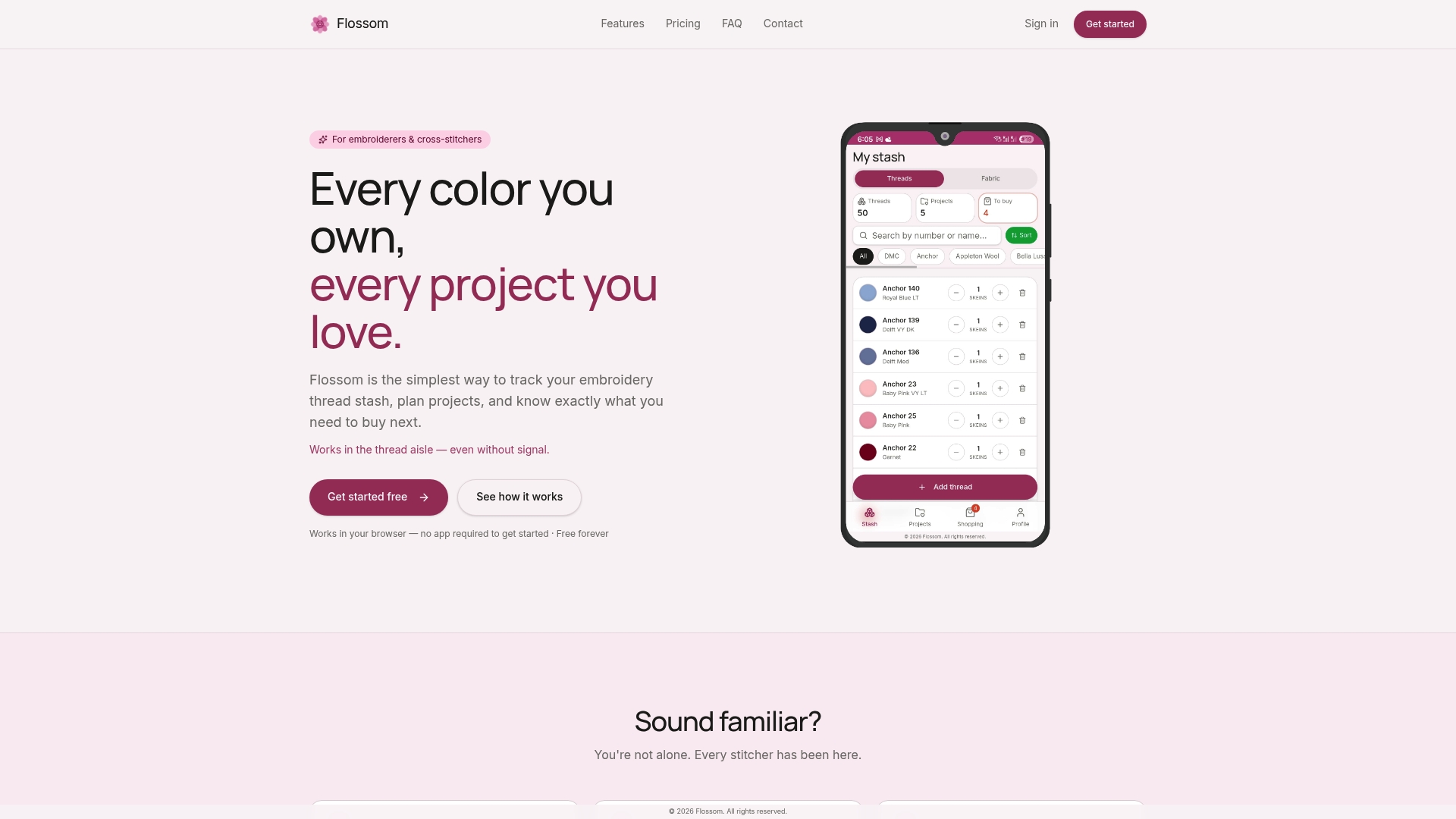
The free tier gives you unlimited stash entries, DMC and Anchor support, and three projects with no ads and no time limit. When you're ready for the full system, Pro adds the barcode scanner, camera color picker, all 55 brand conversions, fabric tracking, and unlimited projects. Your data syncs across every device, exports to CSV anytime, and the thread conversion tool handles substitutions across brands so discontinued colors don't derail a project.
Try Flossom free at Flossom and import your existing spreadsheet in minutes.
Sources
- The Complete Guide To Embroidery Floss Organization - Lost In Cross Stitch
- 10 Clever Ideas For Organizing Embroidery Floss - A Dash of Organizing
Recommended
We make Flossom — the calm app for cross-stitchers and embroiderers who want their stash, projects, fabric and shopping list in one tidy place.