
What Is a Pattern PDF for Cross-Stitchers? A Quick Guide
What Is a Pattern PDF for Cross-Stitchers? A Quick Guide !
What Is a Pattern PDF for Cross-Stitchers? A Quick Guide
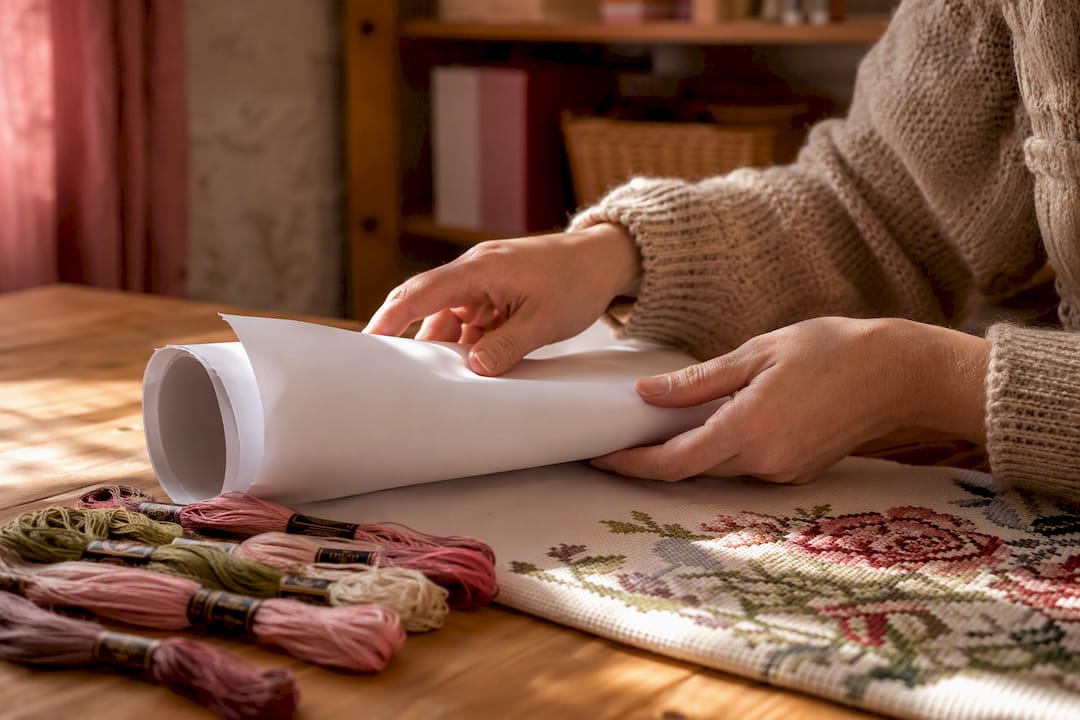
A pattern PDF is a downloadable chart file that gives you everything needed to stitch a design: the grid, the legend, and the thread list. Every legitimate cross-stitch or embroidery pattern PDF contains three things: a chart or grid where each square represents one stitch, a symbol key (legend) that ties each symbol to a floss brand code like DMC or Anchor, and a thread color list naming the shade and strand count. Apps like Flossom exist specifically to store, sort, and shop from these files.
- Chart/grid: the counted map of the design
- Legend: symbol-to-thread-number key (DMC, Anchor)
- Thread list: colors, codes, and strand counts you'll need to buy or pull from stash
Key Takeaways
A pattern PDF works because it packages the chart, legend, and thread list into one file, and pairing it with a stash manager prevents duplicate purchases and lost progress.
| Point | Details |
|---|---|
| Three core parts | Every pattern PDF needs a grid chart, a symbol legend, and a thread color list to be usable. |
| Print at 100% | Disable "scale to fit" and test print one page before committing, or your stitch count will shift. |
| Symbols beat color charts | Symbol keys stay accurate in black and white; color charts are for quick visual orientation only. |
| Multi-page charts need overlap checks | Confirm page-map markers before stitching so rows don't get duplicated or skipped. |
| Manage with a dedicated tool | Flossom uploads pattern PDFs, converts between 55 thread brands, and auto-builds shopping lists against your stash. |
Table of Contents
- What's Inside a Pattern PDF: A Page-by-Page Breakdown
- How Do You Read a Pattern PDF?
- How Should You Print or View a Pattern PDF?
- Why Do Stitchers Prefer PDFs to Physical Kits?
- How Do You Manage Pattern PDFs and Plan Projects?
- What Mistakes Should You Avoid Before Starting?
- A Stitcher's View on Working From Pattern PDFs
- Manage Every Pattern PDF Without Buying Duplicate Thread
- Where to Learn More About Reading and Printing Pattern PDFs
- Frequently Asked Questions
- Sources
What's Inside a Pattern PDF: A Page-by-Page Breakdown
Most PDFs run several pages, and each one earns its place. Skip past any of them and you risk starting a project on the wrong fabric or the wrong shade of green.
The first page is usually a color preview, a mockup of the finished piece. Some designers pair this with a full-color chart, though many patterns rely on symbols only, since symbols hold up better once printed in black and white than color blocks that can look nearly identical on a home printer.
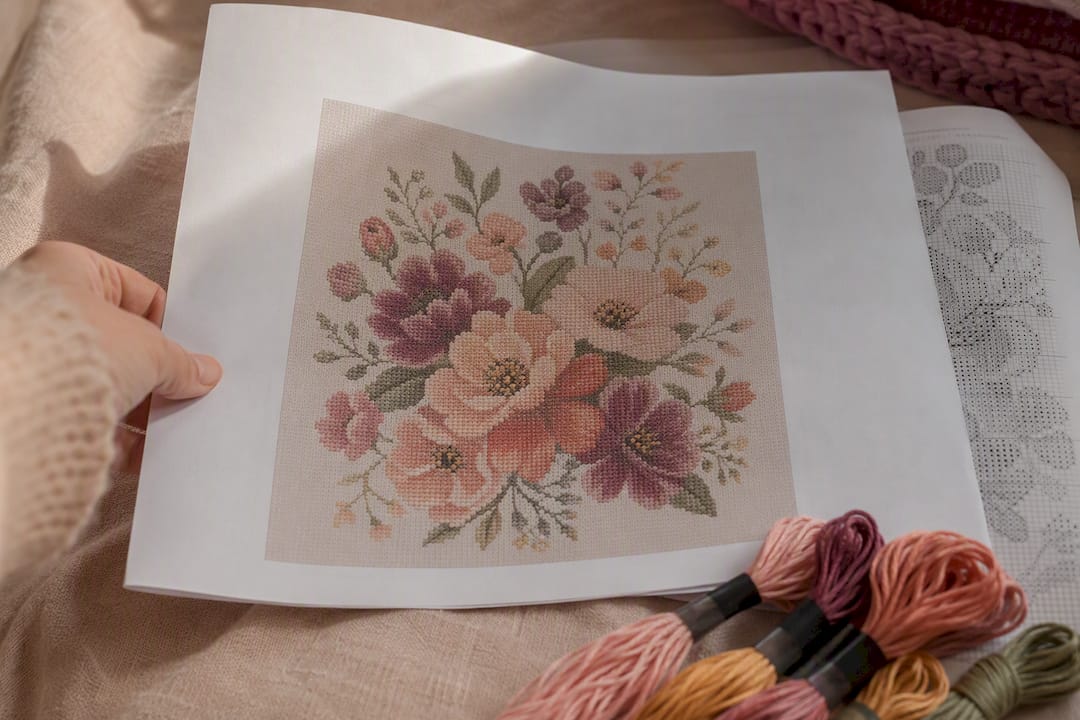
The working pages carry the symbol chart: a grid with bold lines every 10 squares to make counting manageable, plus numbered rows and columns along the edges. Next to it, or on its own page, sits the legend: brand name, numeric code, color name, and how many strands to use for each symbol.
Beyond that, look for:
- Finished stitch count and finished size in inches or centimeters
- Recommended fabric count (14-count Aida is common for beginners)
- A page map showing how sheets overlap on multi-page charts
- Thread usage estimates, so you know roughly how much of each skein you'll need
How Do You Read a Pattern PDF?
Find the center of the chart and the legend first. Everything else builds from there.
- Open the color preview to get oriented on what you're making.
- Check the finished stitch count and recommended fabric count before touching a needle.
- Locate the legend and note which symbols map to which DMC or Anchor numbers.
- Find the center marks, usually small arrows at the edges of the grid pointing to the middle.
- Decide your starting point. Center is safest for symmetric designs; a corner works for simpler layouts.
- Match each symbol on the grid to its floss number, thread the needle, and stitch.
- Mark your progress on the chart as you go so you don't lose your place.
Symbol charts are your main reference since they print reliably in any format. Color charts help with quick orientation but shouldn't replace the legend for exact placement, especially where two similar shades sit near each other. Fractional stitches (quarter and three-quarter stitches) appear as partial symbols or triangles within a square; backstitch shows up as solid lines tracing outlines; French knots are usually marked with a dot or small circle, called out separately in the key since they use a different technique than a standard cross.
Pro Tip: Print or duplicate your PDF before starting, then mark it up with a highlighter as you complete sections. If you're working digitally, use a tablet annotation app so your original file stays clean and reusable if you restart or restitch the piece later.
How Should You Print or View a Pattern PDF?
Check your print scale before you print a single page. Get this wrong and your stitch count won't match the pattern anymore, even if the image looks fine.
- Turn off "scale to fit" in your print dialog and select 100% or "actual size."
- Use heavier paper, 80 gsm or higher, so the sheet survives repeated pencil or highlighter marks over a long project.
- On tablets, zoom in on dense sections and use annotation tools to track rows without printing anything.
- Look for pattern viewer apps that stitch multi-page PDFs into one continuous scroll, since flipping between separate printed sheets is where most counting errors creep in.
If the measurement is off, your printer is scaling automatically and needs a settings fix before you commit to the full document.*
Why Do Stitchers Prefer PDFs to Physical Kits?
Digital patterns get you stitching within minutes instead of days. There's no shipping wait, and PDFs typically cost less than boxed kits while letting you print as many copies as you need.
- Instant download means no waiting on a mail carrier to start a project
- Lower price points than most physical kits with fabric and floss included
- Unlimited reprints if a page tears or you want a backup copy
- Access to independent designers producing styles rarely seen in mass-produced kits, from horror motifs to abstract line art
- Easy conversion between thread brands if your stash runs DMC but the pattern calls for Anchor
Stitchers often mention that having a library of PDFs on a phone or tablet makes pattern shopping feel less like a commitment and more like browsing a bookshelf you can stitch from anywhere.
How Do You Manage Pattern PDFs and Plan Projects?
Use a dedicated pattern and stash manager instead of a folder full of downloads scattered across your desktop and inbox. A thread stash organized well makes the difference between grabbing what you own and rebuying colors you already have three of.
Look for these features when choosing a tool:
- PDF upload and storage in one searchable place
- Thread-brand conversion so a DMC-coded pattern still works against an Anchor-heavy stash
- Auto-generated shopping lists that compare what the pattern needs to what you already own
- Low-stock alerts before you run out mid-project
- WIP photo tracking to document progress across multiple projects at once
A typical workflow looks like this:
- Upload the pattern PDF to your project manager
- Extract or enter the thread list from the legend
- Compare that list against your cataloged stash
- Generate a shopping list for anything missing
- Assign the pattern to a project and log WIP photos as you stitch
Flossom handles this exact sequence, and its project time calculator can estimate how long a chart will take once you know the stitch count from the pattern's info page.
What Mistakes Should You Avoid Before Starting?
Wrong print scale and mismatched fabric count cause more ripped-out stitches than any other beginner error. If your printer scales the page without you noticing, every square shifts slightly, and by row 50 your grid no longer lines up with the pattern's numbering.
Run through this before threading a needle:
- Confirm the pattern's finished stitch count matches the fabric count you're planning to use
- Check the legend for DMC or Anchor codes and note strand counts for each color
- Verify page overlap markers on multi-page charts so you don't duplicate or skip rows
- Print a test page at 100% and measure it against the stated gauge
- Confirm brand conversions if you're substituting Anchor for DMC or vice versa
Pro Tip: Keep a printed or digital copy of the legend visible next to your hoop at all times. Reaching back to a different app or page every few stitches is where most symbol mix-ups happen.
A Stitcher's View on Working From Pattern PDFs
Pattern PDFs turned a slow hobby into something I can pick up the same day I get excited about a design. There's real creative freedom in browsing an independent designer's shop at midnight and stitching by morning. The workflow that sticks: upload the file to a project manager right away, so the thread list and progress photos live in one place from day one.
Manage Every Pattern PDF Without Buying Duplicate Thread
Flossom centralizes your pattern PDFs, converts thread brands, and auto-builds shopping lists so you stop buying colors you already own.
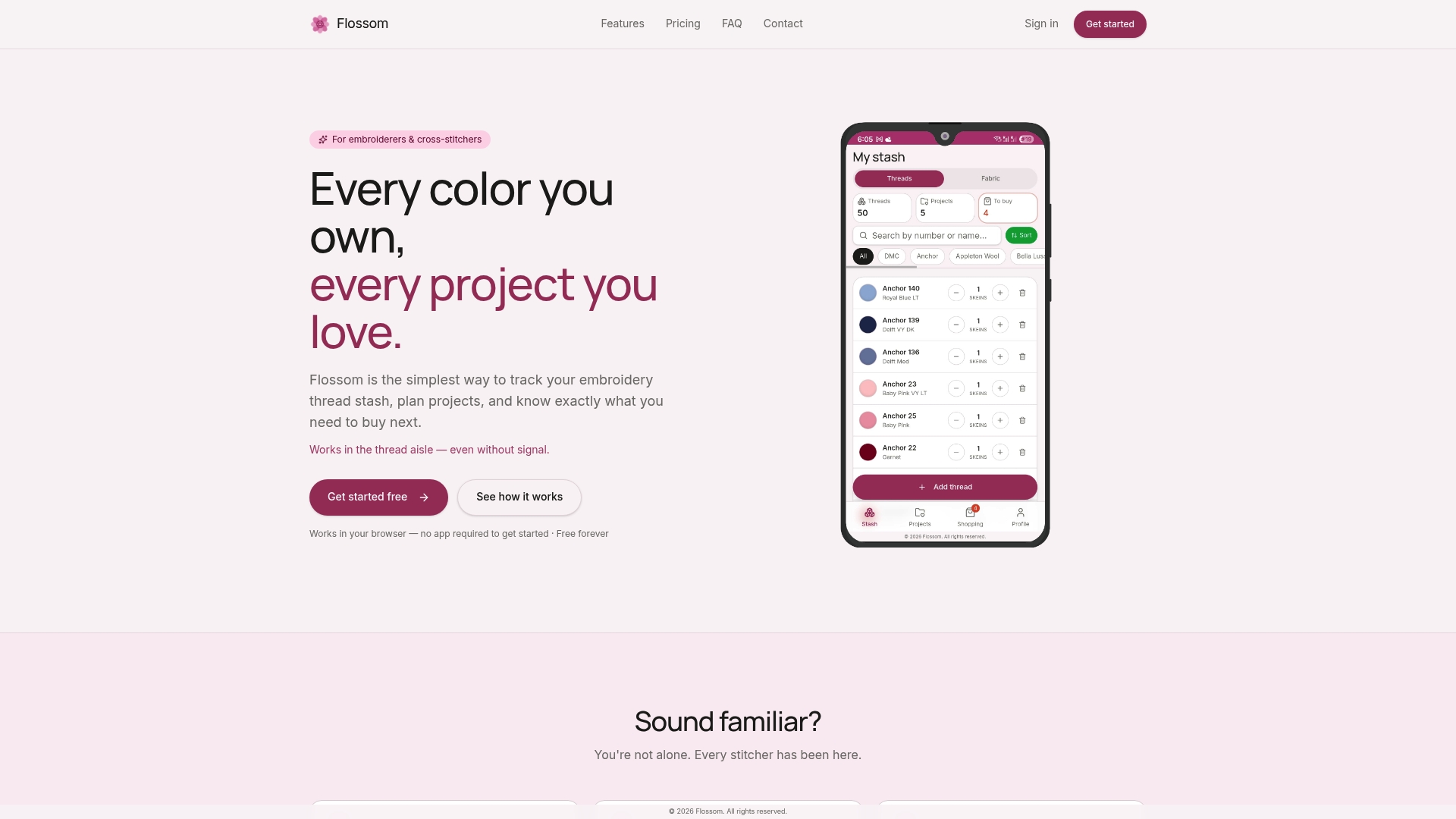
Upload a pattern straight into Flossom and it extracts what the chart calls for, checks that against your cataloged stash, and flags exactly what's missing. Thread-brand conversion works across 55 brands, so a pattern written in Anchor codes still lines up cleanly against a stash you've logged in DMC. WIP photo tracking keeps progress shots tied to each project, and low-stock alerts warn you before a skein runs out mid-piece. The free tier covers DMC and Anchor cataloging with unlimited stash and three projects; Pro unlocks all 55 brands, fabric tracking, and unlimited projects. Head to the tools page to try the project planner on your next pattern PDF.
Where to Learn More About Reading and Printing Pattern PDFs
- How to Read a PDF Cross Stitch Pattern for a beginner walkthrough of chart basics
- Why Choose Digital PDF Cross Stitch Patterns? for a deeper look at digital versus kit trade-offs
- Printable cross stitch patterns guide for print-scale and paper advice
- Try Flossom's project time calculator to plan your next pattern from stitch count to finish
Frequently Asked Questions
What is a pattern PDF exactly? It's a downloadable digital chart file for counted cross-stitch or embroidery, containing a grid, a symbol legend, and a thread color list with codes for brands like DMC or Anchor.
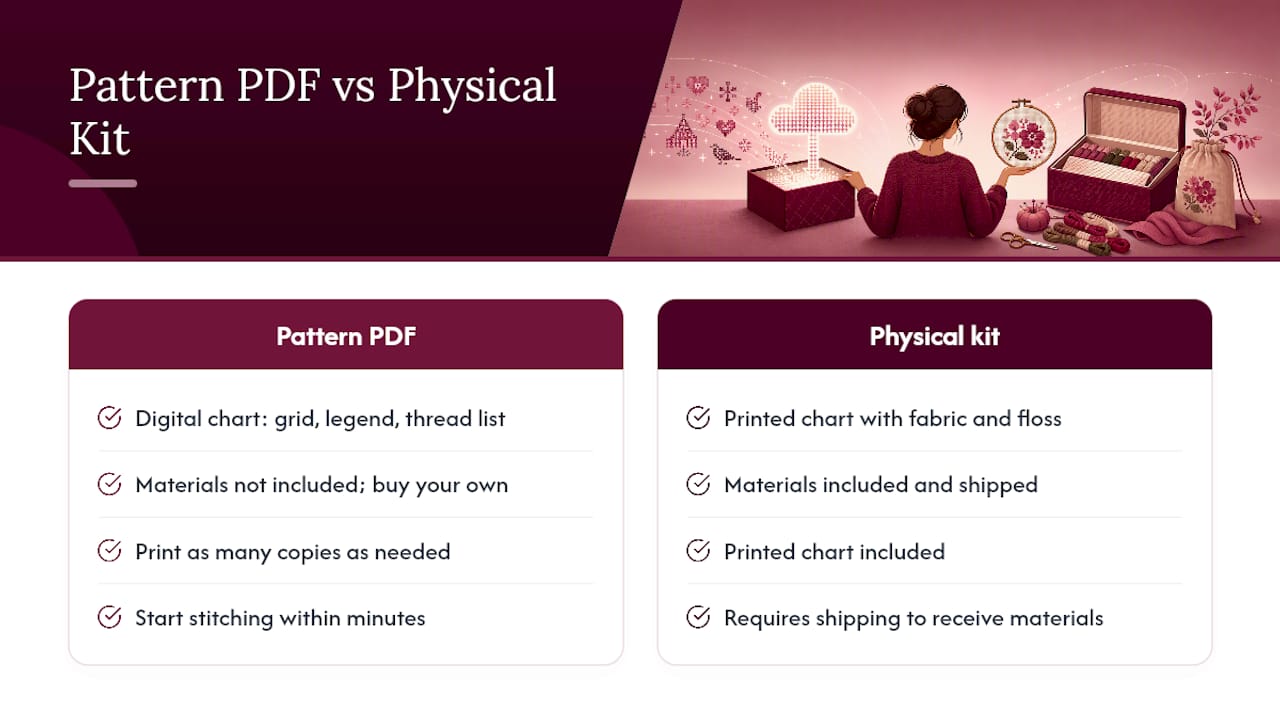
What's the difference between a pattern PDF and a physical kit? A kit ships fabric and floss with a printed chart; a PDF is just the digital chart, letting you buy your own materials, print as many copies as needed, and start stitching within minutes of purchase.
Do I need special software to open a pattern PDF? No. Any standard PDF viewer works, though a tablet with zoom and annotation tools makes counting dense sections easier than a printed page.
Can I convert a pattern written in DMC codes if my stash uses Anchor? Yes. Many designs list only one brand, but conversion charts and tools like Flossom's brand converter let you match colors across systems without guesswork.
Why does my printed pattern look wrong compared to the file? Your printer likely applied "scale to fit," which shrinks or stretches the grid.
Sources
- Why Choose Digital PDF Cross Stitch Patterns? - Anabella's
- Your Guide to Using Any Cross Stitch Pattern PDF – Cross Stitched
- Printable cross stitch patterns guide — StitchPatternMaker
Recommended
We make Flossom — the calm app for cross-stitchers and embroiderers who want their stash, projects, fabric and shopping list in one tidy place.