
Scan Fabric Barcodes Faster for Stitchers: Phone Scans and QR Labels
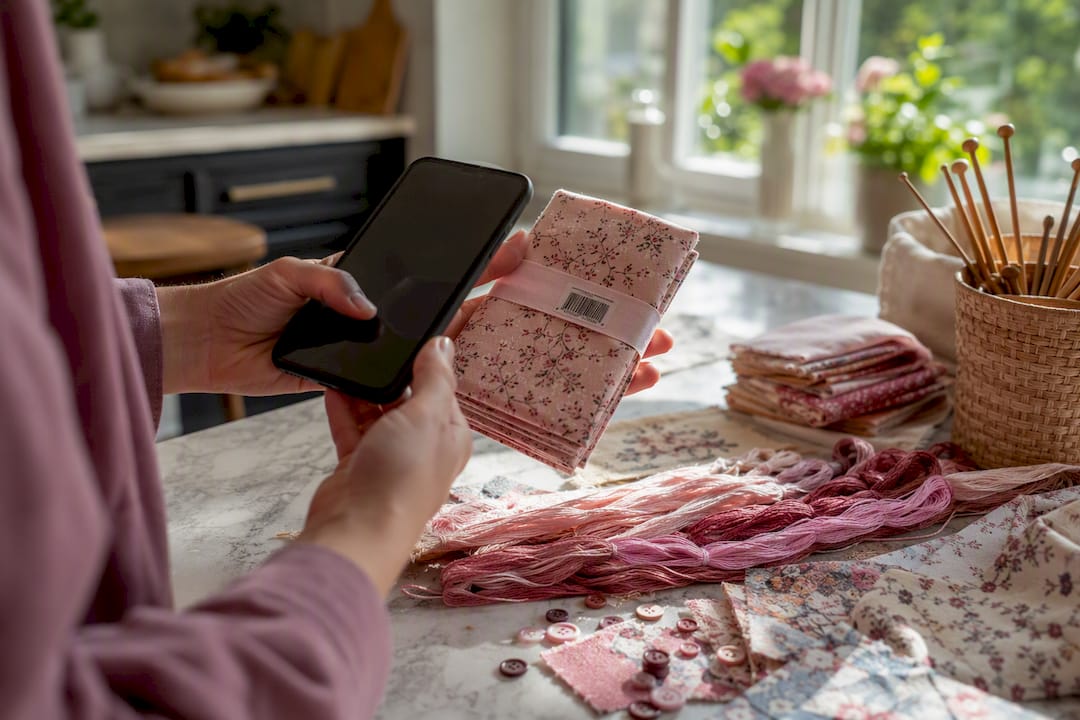
Scan Fabric Barcodes Faster for Stitchers: Phone Scans and QR Labels ! Hands scanning fabric barcode with phone Yes: your phone camera can scan fabric and thread barcodes and auto-fill the record in your stash tracker, so you're editing rather than typing from scratch.
Scan Fabric Barcodes Faster for Stitchers: Phone Scans and QR Labels
Yes: your phone camera can scan fabric and thread barcodes and auto-fill the record in your stash tracker, so you're editing rather than typing from scratch. The catch is that plenty of your stash won't have a scannable code at all. Custom-cut fabric, loose skeins from a destash pile, and hand-dyed linens usually ship without a UPC, so you'll need a manual entry or a homemade QR label instead. Flossom supports both paths, with a barcode scanner for packaged goods and dedicated fields for fabric that never had a label to begin with.
TL;DR:
- Scanning fabric and thread barcodes speeds up entry but works best right after unboxing for items with retail labels, not custom cuts or hand-dyed fabrics.
- For unlabeled or custom pieces, manual entry fields like fabric type, size, and color are essential, with photos to help identify specifics later.
- Creating and attaching QR codes to storage bins or bags offers a quick retrieval method but should be placed on stable containers, not on delicate fabric.
- Maintaining accurate records requires confirming quantity and details immediately after scanning and regularly reconciling the stash to prevent discrepancies.
- Starting with small, manageable batches and scanning upon purchase builds a consistent habit, ensuring you avoid buying duplicates or spending time searching for supplies.
Table of Contents
- How to Scan Fabric Barcodes Step by Step
- What About Fabric and Thread Without Barcodes?
- Should You Print Your Own QR Labels?
- Keeping Your Scanned Stash Accurate Over Time
- Starting a Scanning Habit That Actually Sticks
- Try Flossom's Barcode Scanner for Your Fabric and Thread Stash
- Sources
How to Scan Fabric Barcodes Step by Step
The mechanics are almost identical across every inventory app worth using: open the scanner, align the code, confirm what comes back. It's a three-step loop, and once you've done it a dozen times it takes less thought than typing a product name into a search bar.
- Open the scanner. Tap the barcode icon or camera scan mode inside your stash app.
- Align the barcode. Hold the phone six to eight inches away and let the code fill most of the frame. Recognition usually happens in under a second on a decent connection.
- Review the pulled data. The app should populate the brand, product name, and product code automatically.
- Fix what the barcode can't know. Quantity, cut length, and storage location are yours to fill in. A UPC tells the app what the item is, not how much you own or where it's living in your craft room.
- Save, then move to the next item.
This works because modern iOS and Android cameras handle barcode recognition natively. You don't need a dedicated barcode inventory system or handheld scanner gun. The phone in your pocket already does the job.
Batch scanning is where the habit actually pays off. Do it right after unboxing a fabric order or thread haul, before the packaging hits the recycling bin. That's the moment the barcode is easiest to find and the item is easiest to remember. Group similar pieces together, scan the whole batch, and confirm each entry in one sitting rather than trickling them in over a week. Once packaging disappears, so does your easiest path to a clean scan.
Pro Tip: Scan before you cut. Once a length of Aida is trimmed down for a project, the original barcode is likely gone or damaged, and you'll be stuck reconstructing details from memory.
Reviewing the auto-filled fields matters more than most people expect. Barcode lookups occasionally return a manufacturer's generic listing rather than the exact color or count, especially for less common fabric lines. A quick glance at the brand and product name before you hit save catches that mismatch early, instead of six months later when you're trying to find a fabric that isn't actually the one your records say it is.
What About Fabric and Thread Without Barcodes?
Retail packaging is the exception here, not the rule, once your stash includes anything beyond big-brand skeins and bolts. Custom cuts from a quilt shop, remnants from a swap, and hand-dyed floss almost never carry a scannable code, and that's fine. It just means switching from scanning to a short manual entry.
Prioritize these fields when you're logging by hand:
- Fabric type and count (Aida, linen, evenweave, and the thread count)
- Width and yardage or total length remaining
- Color or thread code, even an approximate one if the original tag is long gone
- Notes on the cut, like where it was sourced or whether it's already earmarked for a project
If the packaging is gone and there's no code to reference, a photo does more work than a paragraph of description ever will. Snap the fabric or skein against a neutral background, attach it to the record, and jot down where you bought it. That single image becomes your color reference months later when you're color-matching against a pattern chart.
For genuinely unlabeled odds and ends, don't force individual records where none make sense. A grab bag of loose DMC floss from an estate sale can live as one grouped "box" or kit entry with a rough count, rather than twelve separate entries you'll never fully verify. Photo identification and manual search fill the gap barcodes leave behind, and a thread inventory built this way is still searchable and useful, just less granular.
Should You Print Your Own QR Labels?
For anything without a retail barcode, the fix is making one yourself. A generated QR code that links straight to the item's record in your app turns an unlabeled bin or bag into something instantly scannable, no manufacturer required.
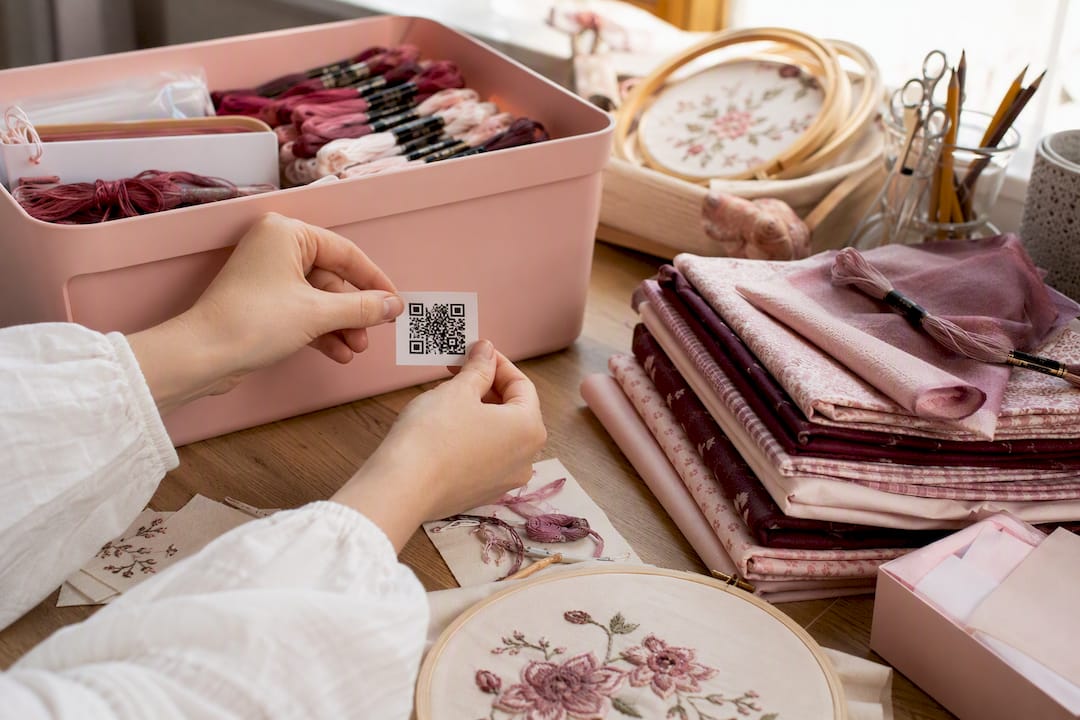
QR codes work well here for a simple reason: they need no central registry. You generate one, print it, and it points wherever you want, whether that's a specific item record or a shared link to a project folder. That's different from a UPC, which exists inside a retail numbering system built for supply chains, not craft rooms. If you ever sell finished pieces or kits, UPCs still matter for that side of the business, but for your personal stash, a QR code does everything you actually need.
The workflow is straightforward:
- Generate a QR code linked to the item's record or a short URL inside your app
- Print it on a sticker sheet (matte finish holds up better than glossy under handling)
- Attach it to the bin, project bag, or storage box, not directly onto delicate fabric
For small swatches or cut pieces, skip the fabric itself and stick the label to the envelope or sleeve holding it instead. Adhesive and fine linen fibers don't mix well.
Pro Tip: Label the box, not the bag inside it. Bags get swapped and reused constantly in a craft room, but a labeled bin stays put and keeps its QR code relevant for years.
Once labels are in place, retrieval gets fast in a way that's easy to underestimate. Instead of opening four identical storage boxes to find one skein, you scan the label, check the app, and go straight to the right box.
Keeping Your Scanned Stash Accurate Over Time
A scan is only as useful as the record it builds. The habit that actually pays off is treating every scan as the start of a record, not the finish line.
- Capture the core fields every time: brand, color or thread code, length or yardage, storage location, and at least one photo
- Confirm quantity on the spot, not from memory a week later
- Set low-stock alerts for consumables you burn through fast, like backing fabric or frequently used floss colors
- Use consistent tags, grouping by color family or project association so searches stay fast as your stash grows
Barcode inventory apps built for retrieval tend to hold up better long term specifically because they support photos and custom fields alongside the scanned data, not instead of it. A barcode number alone doesn't tell you if a green is sage or forest; a photo does.
After any big haul, a bagged stash sale or a thread destash, take ten minutes to reconcile the batch against your records rather than letting scanned entries pile up unverified. Export your data periodically too. A CSV backup costs nothing and saves everything if you ever switch devices or apps.
Starting a Scanning Habit That Actually Sticks
Most stitchers overthink the starting point. Don't try to catalog your entire stash in one weekend. Pick one drawer or one project bag, scan what has barcodes, photograph what doesn't, and stop there for the day. The habit builds from repetition, not from a single marathon session.
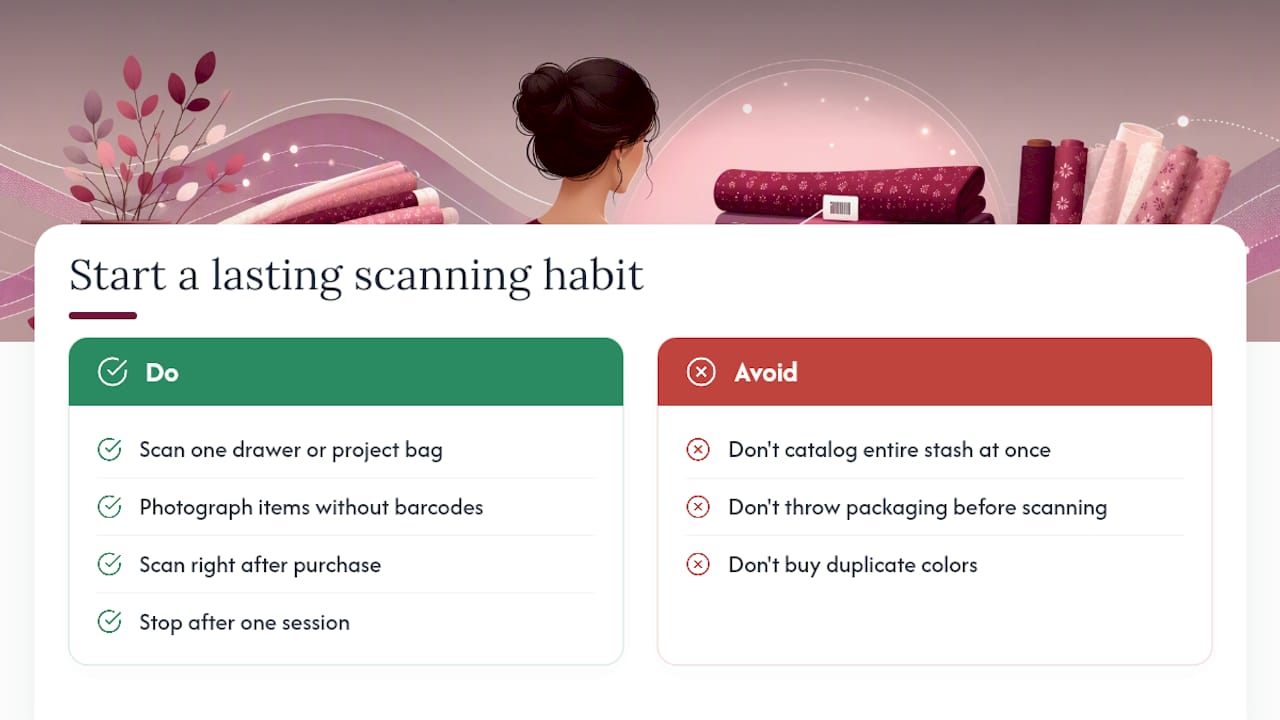
What I've seen work best is scanning immediately after a purchase, before the packaging goes anywhere near the trash. That one habit alone prevents the two most common frustrations: buying a color you already own and digging through three bins to find backing fabric for a project that's due to start this weekend. Neither is dramatic on its own, but together they eat hours over a year.
[Credentials and reader testimonials to be added.]
— Simone
Try Flossom's Barcode Scanner for Your Fabric and Thread Stash
Flossom is built around the exact workflow this article just walked through. Scan a skein or a bolt, and the barcode scanner pulls the product details straight into your stash record, ready for you to confirm quantity and storage location. Pair that with the camera color picker for anything unlabeled, and you're covering both the retail and the custom-cut side of your stash without switching tools.
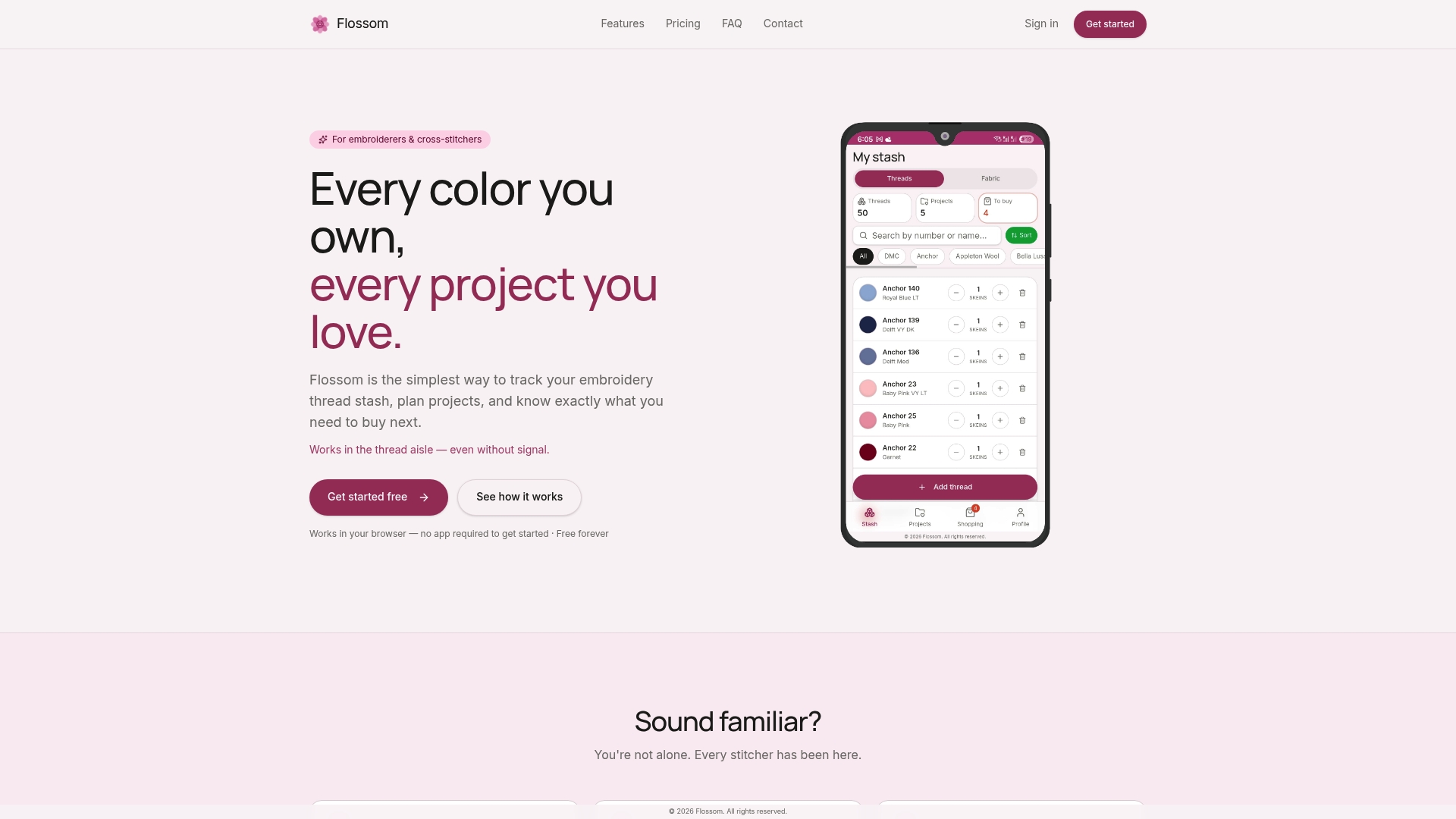
The free tier covers DMC and Anchor cataloging with unlimited stash items and a limited number of active projects, which is enough if you're just starting to digitize. Flossom Pro unlocks all 55 supported thread brands, full fabric stash tracking, unlimited projects, and the barcode scanner itself, plus low-stock alerts so you're not restocking a color you actually still have three skeins of. Everything exports to CSV and syncs across your devices, and it runs ad-free in any browser.
Head to the Flossom tools page to try the scanner on your next fabric haul and see how fast a properly logged stash comes together.
Sources
- Barcode inventory system — OrcaScan
- How to create a QR code for storage bins — QR Code Generator (Medium)
- Inventory codes every handmade seller should know — Craftybase
- Barcode inventory app for Android and iPhone — Collection & Inventory Tracker
Recommended
We make Flossom — the calm app for cross-stitchers and embroiderers who want their stash, projects, fabric and shopping list in one tidy place.