
What Is a Fabric Stash Tracker? A Guide for Sewists
What Is a Fabric Stash Tracker? A Guide for Sewists !

What Is a Fabric Stash Tracker? A Guide for Sewists
A fabric stash tracker is a system for documenting every textile in your collection, recording details like fiber content, width, yardage, and supplier so you always know what you own. Picture this: you're planning a quilt and want to know if that navy cotton you bought last spring is still enough for the backing. Instead of digging through bins, you check your tracker and see exactly how many yards remain.
Here's what a tracker typically records at a glance:
- Fabric name and colorway
- Fiber content and width
- Usable yardage remaining
- Supplier and purchase date
- Photo or physical swatch
- Planned project or tag
Table of Contents
- What does a fabric stash tracker actually record, and why does it matter?
- What are the main formats for tracking your fabric stash?
- What fields should you record for each fabric entry?
- How do you pick the right stash-tracking system for your workflow?
- How to inventory your existing stash in 30–60 minutes
- What habits keep a stash tracker accurate over time?
- What features should you expect from a modern stash-tracking app?
- How Flossom integrates stash tracking with project planning
- Key Takeaways
- The system you'll actually use beats the perfect one you won't
- Flossom keeps your stash and your projects in one place
- Useful sources and next steps
What does a fabric stash tracker actually record, and why does it matter?
A tracker holds the specific details that make planning possible. Beyond the basics, practitioners often track thread, trim, buttons, and labels to keep a complete picture of their sewing resources. That completeness is what separates a useful system from a vague mental list.
The core benefits are practical. You stop buying duplicates because you can check before you shop. You plan multi-piece projects with confidence because you know your actual yardage. Reorders get faster because the supplier and purchase date are already logged.
Two quick scenarios: A hobbyist sewist logs her linen stash and realizes she already has three yards of a dusty blue she almost repurchased at a sale. A quilter planning a ten-block sampler pulls up her tracker, assigns fabrics to each block, and immediately sees she's two yards short on one print. She orders exactly what she needs, nothing more. That's the whole value proposition in two real-world minutes.
Stash tracking also works as a creative prompt. Visual records — photos or swatches — help you rediscover forgotten fabrics and spark new project ideas you'd never have found rummaging through a bin.
What are the main formats for tracking your fabric stash?
Three formats dominate: digital apps, spreadsheets, and physical printables. Each suits a different kind of sewist.
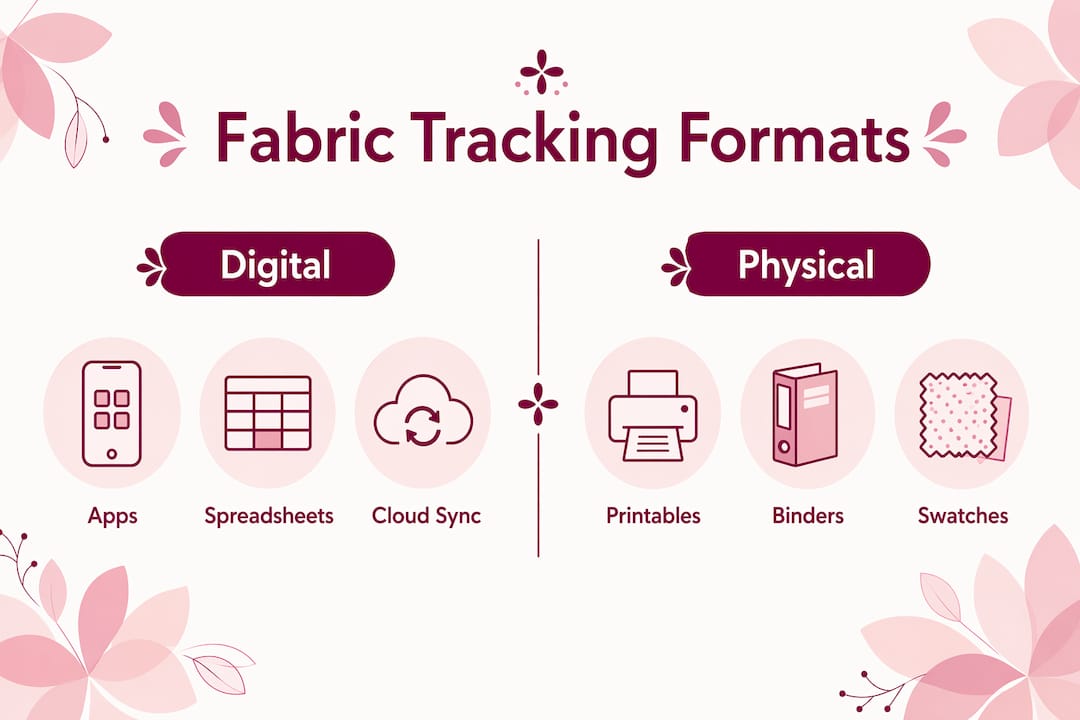
Digital apps offer photo storage, barcode scanning, and project linking. They sync across devices and often handle yardage math automatically. The tradeoff is a learning curve and, for full features, a subscription.

Spreadsheets (Google Sheets or Excel) are free and highly customizable. Spreadsheet worksheets with built-in formulas handle automatic yardage calculations well, and creators often publish both Excel and Google Sheets versions. One catch: Google Sheets templates are usually read-only, so you need to make a copy before editing.
Printables and binders give you a tactile experience. You can glue or pin a fabric swatch directly to the record card, which preserves color and texture references that photos sometimes miss. A disc binder system lets you reorder pages without removing them, making it easy to sort by color, fiber, or project.
| Format | Ease of entry | Searchability | Photos/swatches | Automation | Backup |
|---|---|---|---|---|---|
| Digital app | Medium | High | Photos | Yes | Cloud sync |
| Spreadsheet | Medium | Medium | Links only | Formulas | Manual/cloud |
| Printable/binder | Easy | Low | Physical swatch | None | Physical only |
What fields should you record for each fabric entry?
Keep the list short enough that you'll actually fill it in. These are the fields worth capturing every time:
- Name and colorway — what you'd call it when searching
- Fiber content — cotton, linen, wool, polyester blend
- Width — 44/45" or 60" affects how much you can cut
- Usable yardage remaining — not the original purchase amount
- Supplier and purchase date — for reorders and provenance
- Photo — a quick phone shot is enough
- Care instructions — wash temp, dry-clean only
- Tags — color family, project name, fabric type
Pro Tip: Track usable yardage rather than every tiny remnant. Record scraps as approximate entries with a note, and update the precise count only when you plan to cut from them. Chasing exact measurements on a two-inch strip leads to burnout fast.
For trim, interfacing, and labels: log them if you buy them in quantity or reorder them regularly. A half-yard of interfacing you grabbed once doesn't need its own entry. A roll of twill tape you use on every bag project absolutely does.
How do you pick the right stash-tracking system for your workflow?
Start with a feature checklist, then match it to your habits.
Features worth having: photo support, yardage math, project linking, multi-device sync, CSV export, search and tags, low-stock alerts, and barcode scanning. Not every sewist needs all of these. A quilter running ten simultaneous projects needs project linking and low-stock alerts. A hobbyist with one active make at a time can get by with a spreadsheet and a phone camera.
Ask yourself three questions before committing to a system. How often do you add new fabrics? If it's weekly, you need fast entry. Do you plan multi-project quilts? Then project linking and yardage allocation matter. Do you want automatic deductions after a project is done? That's an app feature, not a spreadsheet one.
Watch for red flags. An app with no CSV export locks your data in. A spreadsheet with no yardage formulas means manual math every time. Any system that demands more upkeep than your actual sewing cadence will be abandoned within a month.
How to inventory your existing stash in 30–60 minutes
You don't need to catalog everything at once. Pick one shelf or one drawer and finish that before touching anything else.
- Set your scope. One storage area per session. Commit to it.
- Sort by storage location. Don't reorganize yet — just work through what's in front of you.
- Photograph each piece. Batch mode on your phone camera is faster than individual shots.
- Measure usable yardage. Fold the fabric and use a yardstick. Approximate is fine for remnants.
- Record the minimum fields. Name, fiber, width, yardage, and a photo. Add supplier later if you remember it.
- Tag planned projects. If you already know what a fabric is for, log it now.
- Save a backup. Export to CSV or sync to cloud before you close the session.
Speed tip: batch similar fabrics together. All your quilting cottons in one pass, all your knits in another. Switching between fabric types slows you down and breaks your rhythm.
What habits keep a stash tracker accurate over time?
Record purchases on arrival and deduct yardage when a project is complete. Those two habits, done consistently, eliminate the need for large periodic audits. Everything else is maintenance.

For daily and weekly routines: log new fabric the day it arrives, not the day you feel like it. When you finish a project, update the yardage before you put the fabric away. Tag a fabric as "allocated" the moment you assign it to a make, so you don't accidentally promise it to two projects.
Once a month, do a five-minute scan. Glance at entries with low yardage and decide whether to set a low-stock alert or remove the entry. Once a year, do a full reconciliation: pull everything out, verify counts, and find the fabrics you forgot you owned. Annual reviews help you spend money on actual gaps rather than impulse buys.
Calendar reminders work well here. A recurring monthly prompt takes thirty seconds to set up and keeps the habit alive without relying on memory.
What features should you expect from a modern stash-tracking app?
Purpose-built apps for fabric and stash management typically offer:
- Photo library — store multiple images per fabric entry
- Barcode or label scanning — log new purchases by scanning the bolt label
- Yardage calculators — automatic math when you deduct from a project
- Project-pattern pairing — link a fabric to a specific pattern or WIP
- Search and tags — find fabric by color, fiber, or project name instantly
- CSV export — take your data with you if you switch apps
- Low-stock alerts — get notified when a fabric drops below a set threshold
- Multi-device sync — access your stash from phone, tablet, or browser
Platform availability matters. Many solid options run on iOS, Android, and web, so you can log a purchase on your phone and review your stash on a laptop. Check for offline support if your sewing studio has spotty internet.
On free vs. paid tiers: most apps offer a free tier that covers basic logging and a limited number of entries or projects. Features that typically move behind a paywall include full brand catalogs, barcode scanners, multi-device sync, and unlimited project slots. Try the free tier first and upgrade only when you hit a real limit.
How Flossom integrates stash tracking with project planning
Flossom is built for stitchers who track both fabric and thread, and its workflow shows what a purpose-built tool can do. Log a fabric with a photo, pair it to a pattern, and when you mark the project complete, Flossom deducts the yardage automatically. If the pattern needs materials you don't own, it generates a shopping list by comparing pattern requirements against your logged stash. You never buy a color you already have.
Key features: low-stock alerts, CSV export, camera color picker, barcode scanner, and catalogs covering 55 thread brands. Everything syncs across iOS, Android, and desktop browsers. The free tier gives you unlimited stash entries and three projects. Pro unlocks fabric stash tracking, all 55 brand catalogs, the barcode scanner, and unlimited projects.
For stitchers who also catalog embroidery fabric, Flossom keeps thread and fabric in the same place, which means one app handles your full material picture instead of two separate systems.
Key Takeaways
A fabric stash tracker works best when it records usable yardage, links fabrics to projects, and gets updated at the moment of purchase or project completion, not in a big catch-up session later.
| Point | Details |
|---|---|
| Start small | Catalog one shelf or drawer in a single 30–60 minute session before expanding. |
| Record usable yardage | Track what you can realistically cut from, not every scrap, to avoid burnout. |
| Log in real time | Record new purchases on arrival and deduct yardage right after finishing a project. |
| Back up your data | Export to CSV or enable cloud sync after every session to protect your records. |
| Try Flossom | Flossom's free tier offers unlimited stash entries and three projects, with fabric tracking and barcode scanning available in Pro. |
The system you'll actually use beats the perfect one you won't
The most common mistake in stash tracking is choosing a system that's too ambitious. A beautifully designed binder with twelve fields per entry sounds thorough. But if filling it in takes ten minutes per fabric, it will be abandoned by the third bolt.
Pick the format that matches your actual behavior, not your aspirational one. If you're on your phone when you buy fabric, an app wins. If you sit at a desk to sew, a spreadsheet open in a browser tab is frictionless. The only metric that matters is whether you're still using it six months from now.
Log purchases the day you buy them. That single habit, done consistently, keeps any system accurate without requiring willpower or scheduled audits.
Flossom keeps your stash and your projects in one place
If you want a ready-made solution that connects your fabric stash to your active projects, Flossom handles both without requiring two separate apps or a manual spreadsheet.
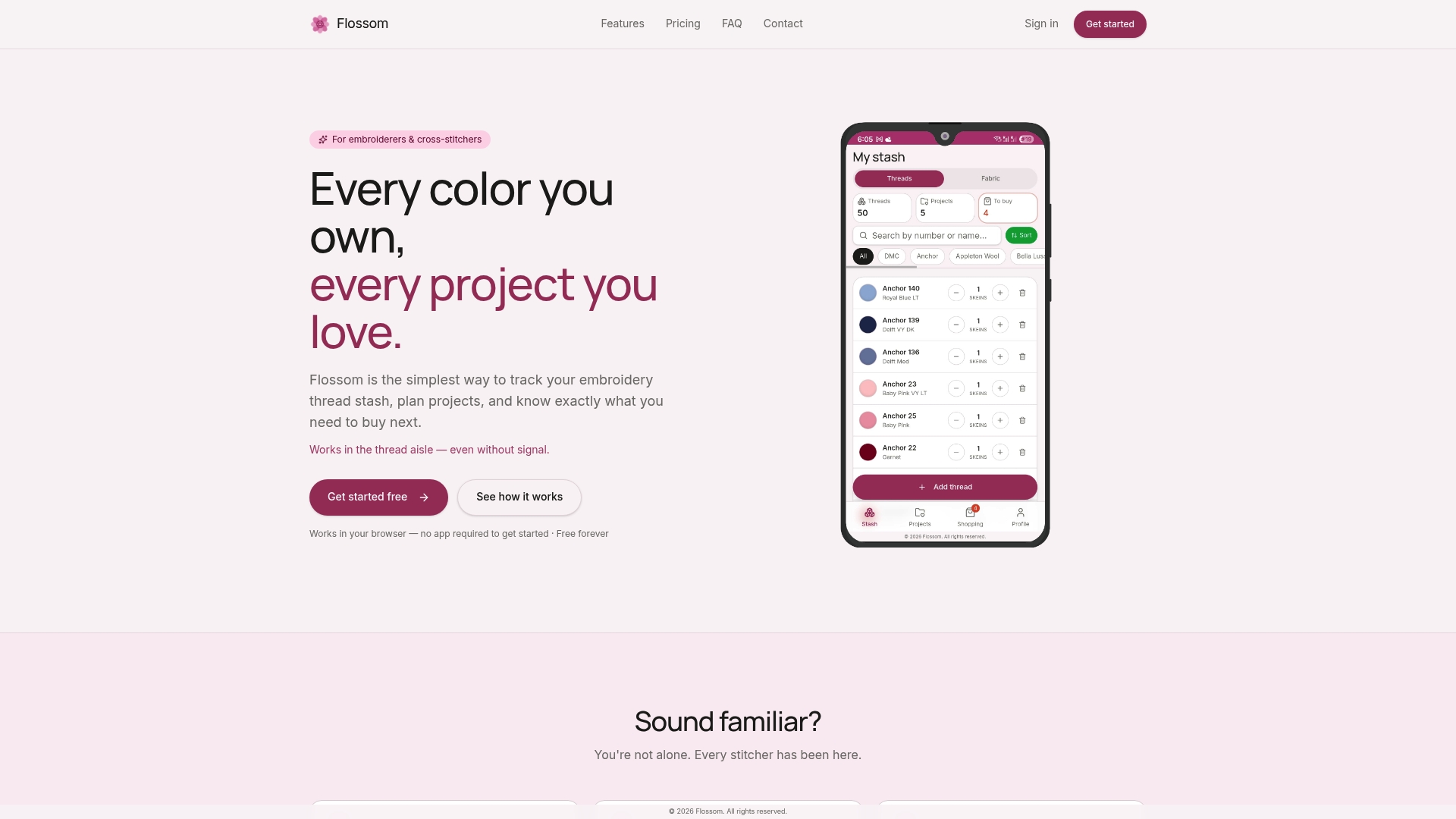
The free tier gives you unlimited stash entries and three projects, covering DMC and Anchor catalogs out of the box. Upgrade to Pro and you get fabric stash tracking, a barcode scanner for logging new purchases in seconds, a camera color picker, and access to all 55 thread brand catalogs. Every entry syncs across your phone, tablet, and browser, and you can export your full stash to CSV anytime. No ads, no lock-in.
If you also track multiple WIPs, Flossom's project time calculator helps you estimate how long each make will take alongside your stash view. Start with the free tier at flossom.app and see how much faster project planning gets when your inventory is already logged.
Useful sources and next steps
- The Cajun Girl — Free Fabric Stash Inventory Printable: A free printable template with fields for fabric details and space for a physical swatch. Good starting point if you prefer an analog system.
- In Color Order — Stash Tracking Worksheet with Formulas: A spreadsheet with built-in yardage formulas, available in both Excel and Google Sheets. Useful if you want automatic math without an app.
- Flossom stash and inventory guides: A collection of practical guides on cataloging fabric, thread, and notions, with workflows you can adapt to your own setup.
Recommended
We make Flossom — the calm app for cross-stitchers and embroiderers who want their stash, projects, fabric and shopping list in one tidy place.