
Stash Cataloguing for Sewists: Your Practical Guide
Stash Cataloguing for Sewists: Your Practical Guide ! Hands organizing embroidery threads and fabrics Stash cataloguing is the practice of building a searchable record of your fabrics, patterns, threads, and notions so you can plan projects confidently and stop buying duplicates.

Stash Cataloguing for Sewists: Your Practical Guide
Stash cataloguing is the practice of building a searchable record of your fabrics, patterns, threads, and notions so you can plan projects confidently and stop buying duplicates. If you have ever pulled out three yards of mystery linen from a bin and had no idea where it came from or whether you already used half of it, a catalogue fixes that. Start with a five-minute audit: pull out one bin, count what's in it, and snap a photo. Or skip straight to an app. For stitchers, Flossom is worth trying first because it combines a camera color picker and a barcode scanner with a free tier that covers DMC and Anchor threads out of the box.
Quick reasons to start today:
- Stop buying thread colors you already own
- Know your yardage before you commit to a pattern
- Find fabric by fiber, color, or tag in seconds instead of digging through bins
- Generate a shopping list automatically from what a pattern needs vs. what you have
Key Takeaways
Stash cataloguing works when it functions as a living planning tool, not a one-time inventory, and the right app makes the difference between a system you maintain and one you abandon.
| Point | Details |
|---|---|
| Define your fields first | Capture name, fiber, yardage, photo, location, and tags as a minimum for every item. |
| Batch the work | One bin or category per session prevents burnout and improves completion for large stashes. |
| Go hybrid | Keep a digital record for search and a physical swatch binder for color and drape checks. |
| Update as you go | Log new purchases before they go into storage; update yardage every time you cut. |
| Export regularly | Save a CSV backup monthly so your data stays portable and protected. |
Your next steps:
- Pull out one bin and do a five-minute audit right now
- Pick one tool from the list above and set up your first five records
- Attach a physical swatch to any fabric where color accuracy matters
- Try Flossom's project time calculator to pair your stash planning with realistic project timelines
- Export your first CSV backup after your initial entry session
Table of Contents
- What stash cataloguing actually means for stitchers
- How crafters catalogue their stashes (and the trade-offs)
- What fields to record for fabrics, patterns, and threads
- A weekend plan to start cataloguing your stash
- Tools stitchers use to catalogue their stashes
- Habits that keep your catalogue working long-term
- Backing up and protecting your digital catalogue
- How Flossom models a working stash catalogue
- The part most cataloguing advice gets wrong
- Sources
What stash cataloguing actually means for stitchers
A stash catalogue is more than a list. A plain inventory tells you what you own. A catalogue tells you what you own, how much of it, where it lives, and what projects it could work for. That extra layer is what turns a pile of fabric into a planning tool.
The Love To Sew Podcast frames it well: a catalogue works best when it functions as a living system, updated as you use, gift, or destash items. A static spreadsheet you fill once and never touch again is just a snapshot. A living catalogue is a decision-making tool you actually reach for.
Benefits that matter in practice:
- Avoid duplicate purchases. Check your phone in the store before buying another skein of DMC 3750.
- Match materials to patterns faster. Tag fabric by weight and fiber, then filter when a new pattern lands.
- Plan realistically. Know whether you have enough yardage before you cut, not after.
- Destash with confidence. Letting go is easier when you can see you already have three similar fabrics.
- Track WIP progress. Link thread and fabric to active projects so nothing gets orphaned mid-stitch.
Two quick scenarios: a garment sewist cataloguing a 3-yard cut of cotton lawn can tag it with fiber content, width, and prewash status, then pull it up when a blouse pattern calls for lightweight wovens. A cross-stitcher cataloguing a kit can log every DMC color included, check it against their existing stash, and generate a shopping list for only the missing skeins.
How crafters catalogue their stashes (and the trade-offs)
There are four main approaches, and each one suits a different working style.
| Method | Portability | Searchability | Photo support | Ease of entry | Maintenance effort |
|---|---|---|---|---|---|
| Dedicated app | High | High | Built-in | Medium | Low |
| Spreadsheet / Notion | Medium | Medium | Manual | Low | Medium |
| Analog (binders, swatch cards) | Low | Low | Physical only | High | High |
| Hybrid (app + swatch binder) | High | High | Both | Medium | Medium |
Seamwork Radio notes that digital tools let you store photos alongside metadata and add features like search-by-tag and barcode scanning that no paper system can replicate. That said, community practice shows many sewists use general tools like Google Sheets, Notion, or Trello to build searchable cards with photos and tags, which works fine for smaller stashes.
Analog binders and swatch cards have one real advantage: texture. A physical swatch tells you things a photo cannot. The Love To Sew Podcast notes that crafters split between digital and analog for exactly this reason.
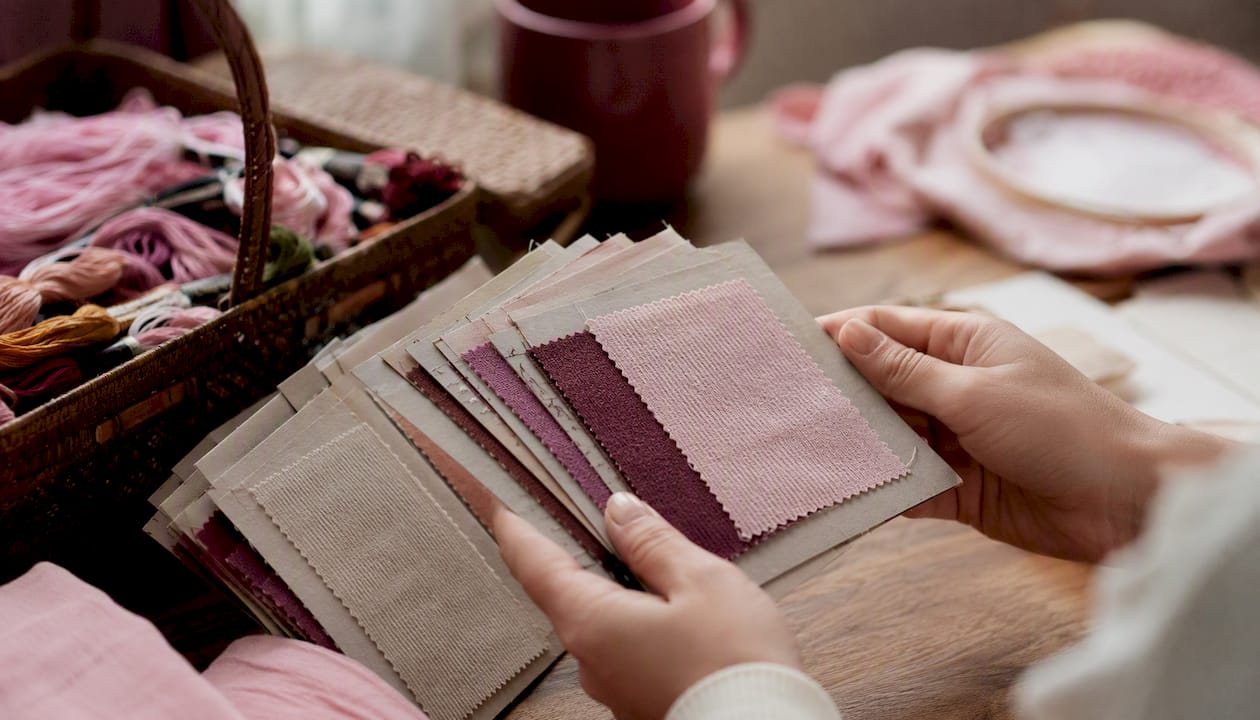
Pro Tip: A hybrid approach often wins. Keep your primary record digital for search and portability, and attach a small physical swatch to a binder card for any fabric where drape or texture is the deciding factor. You get the speed of search and the honesty of touch.
What fields to record for fabrics, patterns, and threads
The goal is to capture enough that you can make a decision without physically touching the item. Here is what that looks like in practice.
Fabric fields:
- Name or description (e.g., "navy cotton lawn")
- Supplier or shop
- Fiber content (100% cotton, linen blend, etc.)
- Width (44", 60")
- Yardage or meters on hand
- Prewash status (yes / no / unknown)
- Photo (front and back if texture matters)
- Storage location (bin 3, shelf B, etc.)
- Tags (lightweight, woven, shirting, blue)
Pattern fields:
- Title and designer
- Size range covered
- Format (paper, PDF, or both)
- Yardage requirements by size
- Fabric recommendations
- Associated fabrics already in stash
Thread fields:
- Brand and color number
- Color name
- Quantity on hand (number of skeins or partial)
- Low-stock flag
- Associated projects
The Cajun Girl's fabric stash printable recommends pairing digital records with physical swatch cards because a swatch is the most reliable way to confirm true color and drape that photos sometimes misrepresent. That is worth taking seriously, especially for fabrics where color accuracy matters for matching.
Example filled record (fabric):
| Field | Value |
|---|---|
| Name | Dusty rose linen blend |
| Supplier | Mood Fabrics |
| Fiber | 55% linen, 45% cotton |
| Width | 44" |
| Yardage | 3 yards |
| Prewash | Yes |
| Storage | Shelf B, bin 2 |
| Tags | Linen, medium weight, pink, shirting |
A weekend plan to start cataloguing your stash
The biggest mistake is trying to catalogue everything in one sitting. Agrarian Artisan recommends staging the work in batches, one bin or category per session, to keep momentum without burnout.
- Prepare (15 minutes). Choose your tool (app, spreadsheet, or printable). Set up your fields. Gather a ruler, a scale if you use weight-to-yardage estimates, and good lighting.
- Audit one bin (30–45 minutes). Pull everything out. Ask yourself honestly: will you use this? Items you will not use can go in a destash pile now rather than cluttering your catalogue.
- Photograph (10–15 minutes per bin). Shoot on a neutral background with consistent angles: full piece flat, close-up of texture, and selvage if it has fiber content printed. Consistent angles make visual search much faster later.
- Measure and record (20–30 minutes per bin). For yardage, fold fabric to a known width and measure length. For yarn or thread, a kitchen scale plus a quick weight-to-yardage conversion works faster than unspooling. Enter the data while the item is in front of you.
- Tag (5 minutes per bin). Add fiber, weight, color, and use-case tags. Tags are what make search useful six months from now.
- Import into your app or spreadsheet. If your app supports CSV import, batch-enter via a spreadsheet first, then import. Flossom supports CSV import and export, so you can start in a spreadsheet and migrate without re-entering everything.
- Quick quality check (10 minutes). Scan your entries. Missing photos? Blank yardage fields? Fix the gaps now while the items are still out.
Pro Tip: Tie cataloguing to a habit you already have. Every time you unpack a new purchase, enter it before it goes into storage. The Agrarian Artisan approach of one bin per session also works as a weekly 30-minute ritual rather than a one-time project.
Use the cross-stitch kit checklist on the Flossom blog if you are cataloguing kits. It walks through every component to log so your shopping list generation is accurate.
Tools stitchers use to catalogue their stashes
Picking the right tool depends on what you stitch, how much you own, and how much setup time you want to spend.
Flossom (web, iOS, Android, desktop): Built specifically for cross-stitch and embroidery. Covers 55 thread brands including DMC and Anchor, with a camera color picker, barcode scanner, pattern PDF upload, WIP photo tracking, low-stock alerts, and auto-generated shopping lists. The free tier gives you unlimited stash entries and three projects with DMC and Anchor support. Pro unlocks all 55 brands, fabric tracking, and unlimited projects. Everything syncs across devices and exports to CSV. Best for stitchers who want project planning and thread management in one place.
Stash Hub: A community-focused app for tracking craft supplies. Good for general stash logging with photo support. Works well if you want a simple, dedicated stash tracker without the project-planning layer.
Ravelry: The go-to for knitters and crocheters. Its Stash feature pre-populates yarn metadata including brand, colorway, and yardage, and can total yardage across skeins for planning. Less useful for sewists or stitchers, but if you also knit, it is hard to beat for yarn specifically.
Textillia: Designed for sewists. Tracks fabric with yardage, fiber, and project links. A solid choice if your stash is primarily fabric and you want a purpose-built tool rather than a general spreadsheet.
Airtable, Notion, or Google Sheets: Flexible and free. Community posts show many sewists build searchable cards with photos and tags using these tools. The trade-off is setup time. You build the structure yourself, which means it can do anything but takes longer to get running.
For cross-stitchers and embroiderers specifically, Flossom's brand library depth (55 brands, including conversion between them) is a meaningful differentiator. Seamwork Radio highlights that barcode scanning and search-by-tag are the features that most improve usability over manual lists, and Flossom includes both.
Habits that keep your catalogue working long-term
A catalogue you stop updating within a month is just a snapshot of one afternoon. These habits keep it useful.
Best practices:
- Log new purchases before they go into storage, not after
- Use consistent tags across all entries (decide on "linen" or "linen blend" and stick to one)
- Keep a small physical swatch binder for fabrics where color or drape is the deciding factor
- Link stash items to patterns and active projects so the catalogue becomes a planning tool, not just a list
- Run a quick audit every season: update yardage for anything you have cut into
Common traps:
- Over-detailing on entry. Spending 20 minutes per item means you will stop after 10 items. Capture the five most useful fields first; add detail later if you need it.
- Delaying entry. "I'll log it later" is how fabric disappears into a bin for two years. Log it now or it does not get logged.
- Tracking monetary value instead of use. Knowing you spent $45 on a fabric does not help you decide whether to cut it. Yardage, fiber, and tags do.
Pro Tip: Batch your cataloguing with a podcast or an audiobook. One episode equals one bin. The Love To Sew Podcast episode on fabric stash organization is a natural pairing and covers exactly this workflow.
Backing up and protecting your digital catalogue
Your catalogue is only as useful as it is accessible. A few simple habits protect it.
Backup checklist:
- Export to CSV at least once a month (or after any major entry session)
- Enable cloud sync if your app supports it (Flossom syncs across all devices automatically)
- Keep a local copy of your most recent CSV export on your computer or an external drive
- If you use a spreadsheet, store it in Google Drive or Dropbox rather than only on a local hard drive
Privacy considerations:
- Most stash apps store your data on their servers. Check the app's privacy policy before entering anything sensitive.
- Your catalogue likely contains purchase history, supplier names, and photos. None of that is highly sensitive, but minimizing what you record to what is actually useful keeps your data footprint small.
- Avoid recording purchase prices unless you genuinely use that data for budgeting.
| Export format | Best for | Notes |
|---|---|---|
| CSV | Spreadsheet migration, backups | Opens in Excel, Google Sheets, Numbers |
| PDF (swatch printable) | Physical binder backup | Good for analog reference |
| App cloud sync | Cross-device access | Requires active account |
CSV export is the most portable format. If you ever switch apps or want to move your data into a spreadsheet, a clean CSV means you do not start over. Flossom exports to CSV and imports from it, so migrating in or out is straightforward.
How Flossom models a working stash catalogue
Flossom is built around the exact workflow described in this article. Here is how the features map to the checklist.
- Camera color picker: Point your phone at a thread or fabric and Flossom identifies the closest match across its brand libraries. Useful when you have an unlabeled skein or want to find a near-match in a different brand.
- Barcode scanner: Scan a thread or kit barcode and Flossom pulls in the brand, color number, and name automatically. No manual entry.
- 55 brand libraries including DMC and Anchor: Pre-populated metadata means you are not typing color names and numbers from scratch.
- Pattern PDF upload: Store your pattern files inside the app and link them directly to the threads and fabrics you plan to use.
- Auto-generated shopping lists: Flossom compares what a pattern needs against what you already own and outputs a list of what to buy. This is the feature that makes the catalogue a planning tool rather than a static record.
- CSV export and import: Full data portability in both directions.
- Unlimited stash entries: No cap on how many items you log, even on the free tier.
A typical workflow: scan a new DMC skein with the barcode scanner, confirm the color and quantity, tag it with a project, then open that project's pattern to see whether the shopping list has updated. The whole process takes under a minute per skein.
"Flossom tracks your thread and fabric stash across 55 brands, auto-generates shopping lists from your patterns, and syncs across every device. The free tier covers DMC and Anchor with unlimited stash entries. Pro unlocks the full brand library, camera color picker, barcode scanner, and fabric tracking."
Flossom
For more on organizing a thread-based stash, the Flossom guide to cross-stitch thread organization walks through labeling and storage approaches that pair well with digital cataloguing.
The part most cataloguing advice gets wrong
Most guides tell you to catalogue your stash completely before you start using it as a planning tool. That is backwards. The catalogue becomes useful the moment it contains the items relevant to your current project, not when it contains everything you own.
Start with what you are actively working on. Log the threads for your current WIP, the fabric you bought for your next garment, the pattern sitting on your desk. That small, accurate slice of your stash will immediately show you the value of the system. You will check it before buying. You will link it to a pattern. You will feel the difference between a static list and a tool that actually changes how you shop and plan.
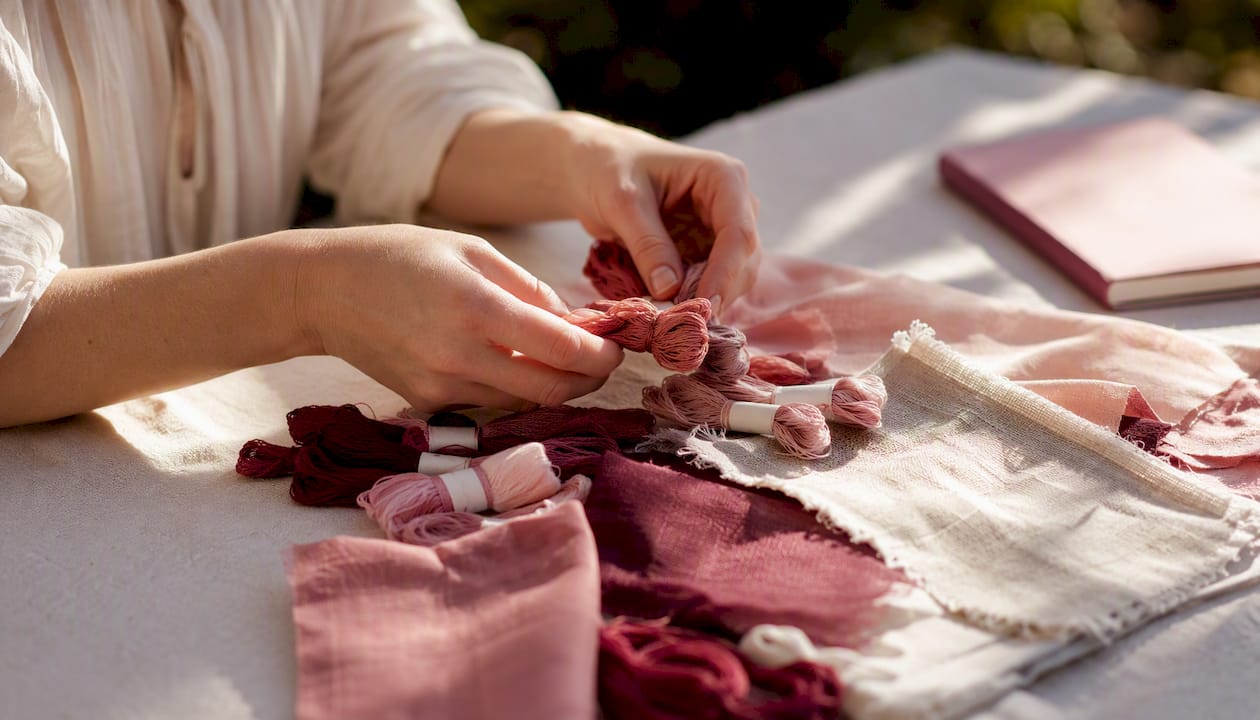
The second thing most advice gets wrong: it treats the catalogue as a record-keeping task rather than a creative planning habit. The stitchers and sewists who maintain their catalogues long-term are not the most organized people. They are the ones who connected the catalogue to something they already care about, like planning a project, building a shopping list, or tracking a WIP. Link your stash to your projects from day one, and the maintenance takes care of itself.
The conventional wisdom also overweights completeness. A catalogue with 50 accurate, well-tagged entries beats a catalogue with 500 half-finished ones every time. Capture fewer fields per item if that is what it takes to actually finish the entry. You can always add detail later. You cannot search a record that does not exist.
Sources
- Episode 185: Fabric Stash Organization – Love To Sew Podcast
- Organize your stash and use it — Seamwork Radio
- Taming the yarn stash! – Agrarian Artisan
- Fabric Stash Inventory Printable: How to Organize Your Entire Fabric Collection (Free Template) - The Cajun Girl
Recommended
We make Flossom — the calm app for cross-stitchers and embroiderers who want their stash, projects, fabric and shopping list in one tidy place.