
30 Minute Fabric Swatch Catalog for Stitchers That Stops Duplicate Buys
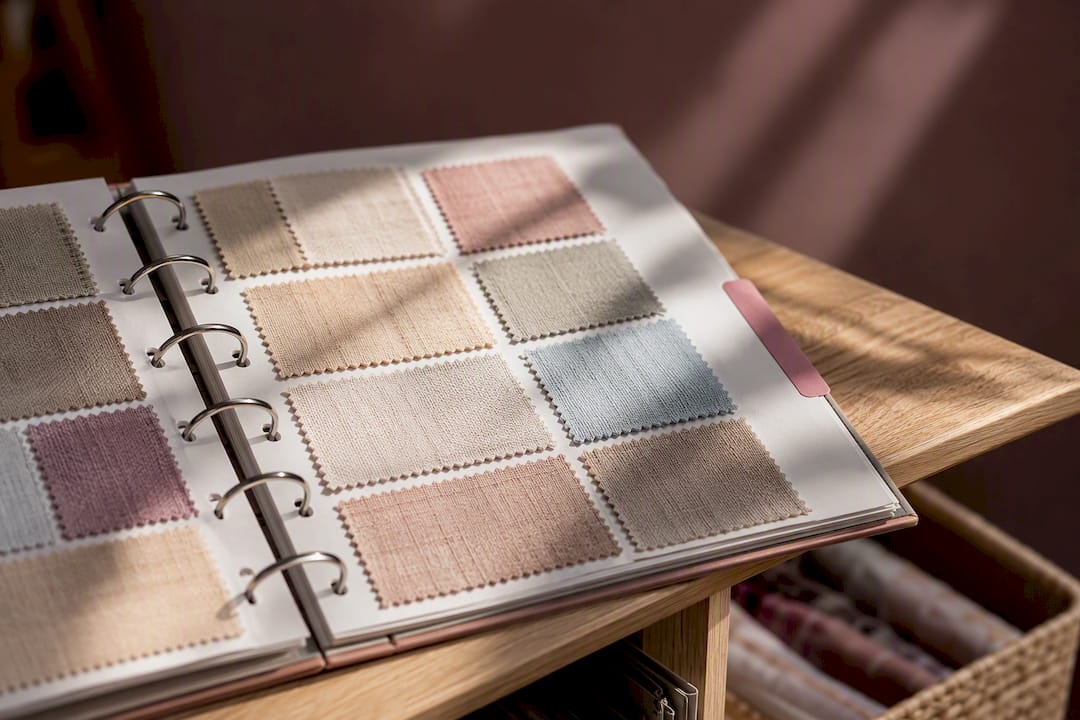
30 Minute Fabric Swatch Catalog for Stitchers That Stops Duplicate Buys ! Fabric swatches arranged in a storage binder A fabric swatch catalog is a digital record of every fabric in your stash: its type, count, color or brand code, a photo, and how much you have on hand.
30 Minute Fabric Swatch Catalog for Stitchers That Stops Duplicate Buys
A fabric swatch catalog is a digital record of every fabric in your stash: its type, count, color or brand code, a photo, and how much you have on hand. If you stitch more than one project or two a year, build one now. It turns a drawer of loose linen and lugana into something you can search in seconds, and apps like Flossom exist specifically to make that record easy to keep current.
TL;DR:
- Tracking fabric type, count, color, dimensions, quantity, and photos is essential for quick reference and avoiding unnecessary duplicate purchases.
- Using dedicated apps with tagging, linked projects, and low-stock alerts streamlines stash management and prevents mid-project shortages.
- Consistent, natural light photography with scale references and color sampling improves color accuracy and minimizes confusion.
- Digital catalogs should be regularly updated with new fabric and linked to physical storage labels to prevent search time and misplaced pieces.
- Starting with active projects and incrementally adding fabric reduces overwhelm and maintains long-term usefulness of the catalog.
Table of Contents
- What Should a Fabric Swatch Catalog Actually Track?
- How Do You Build a Fabric Swatch Catalog From Scratch?
- Getting Photos and Labels Right
- Turning the Catalog Into a Shopping List That Actually Works
- Physical Storage Still Matters, Even With a Digital Catalog
- Start Small and Iterate: Habits That Keep the Catalog Useful
- How Flossom Supports a Fabric Swatch Catalog
- Sources
What Should a Fabric Swatch Catalog Actually Track?
A useful entry answers one question fast: "Do I already own this?" That means recording enough detail to compare a pattern's requirements against your shelf without unfolding a single piece of fabric.
At minimum, log the fabric type (linen, Aida, lugana, jobelan), the count, the color name or brand code, the piece dimensions, the quantity on hand, and a photo. Those six fields cover the questions you'll ask most often: "Do I have 28 count in a light neutral?" or "Is this scrap big enough for an ornament?"
A few extra fields make the catalog genuinely useful over time, not just accurate on day one:
- Purchase date and supplier, so you can reorder from the same source when you run low
- Storage location, so a bin label matches a digital tag
- Condition notes, flagging anything with fading, a snag, or an odd dye lot
- Tags, grouping fabric by color family, brand, or "hand-dyed"
- Linked pattern or project, tying a piece directly to the design it's earmarked for
That "count" field earns its keep the moment you're shopping for a 28-count pattern and need to know instantly whether you already own something close, rather than guessing from memory in a fabric store aisle.
How Do You Build a Fabric Swatch Catalog From Scratch?
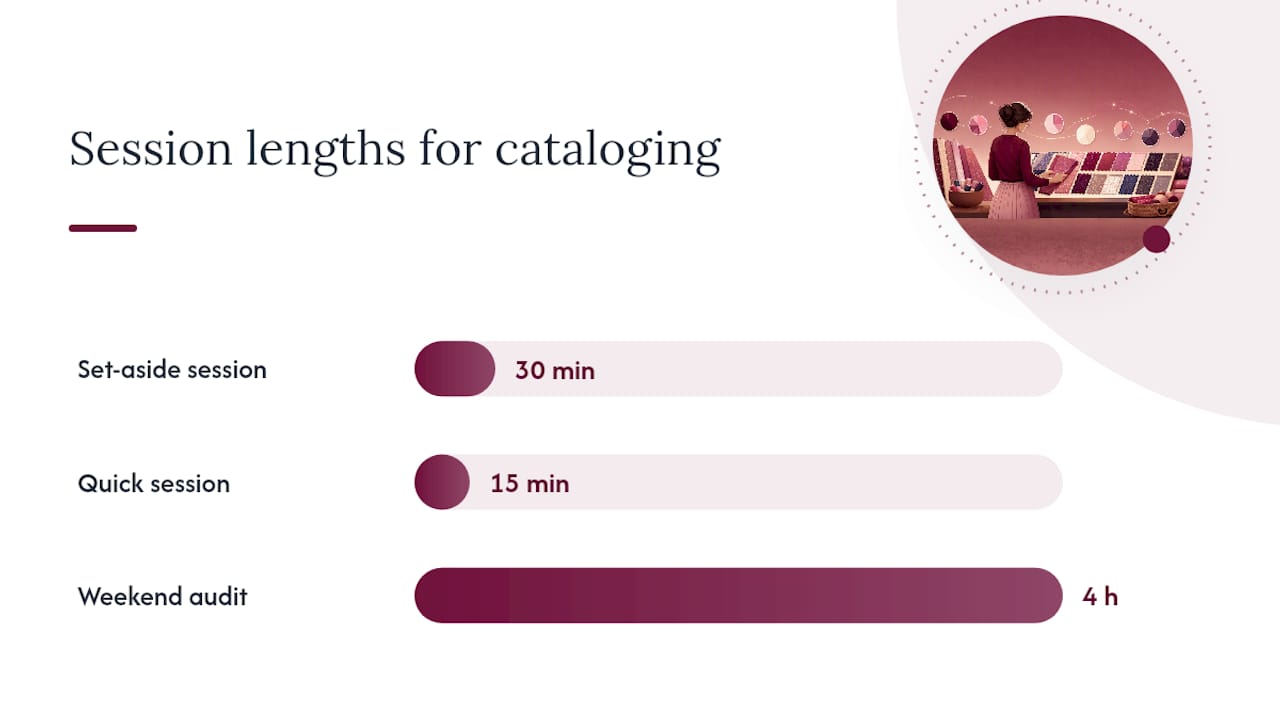
Set aside 30 minutes and pick your tool before you touch a single piece of fabric. A spreadsheet works for a small stash. A dedicated app works better once you're past 15 or 20 pieces, because it handles photos, tags, and sync without you building formulas by hand.
- Prepare your workspace. Clear a flat surface near good light. Pull three or four fabrics you're actively considering for upcoming projects, not your entire stash. Starting small keeps the task from stalling out before it starts.
- Measure precisely. Record the count printed on the selvage or bolt tag, plus the piece's width and height in inches. Measure the usable stitching area, not the fabric edge to edge, since frayed borders and hems eat into what you can actually work with.
- Photograph consistently. Lay the fabric flat, shoot straight down, and include a ruler or coin for scale. Natural, indirect light shows true color far better than a lamp.
- Enter the data. Fill in type, count, color, dimensions, and quantity. Tag by color family or planned project, and link the entry to a pattern if you already know where it's headed. If you're running low on a favorite count, set a low-stock alert so you catch it before you're mid-project and out of fabric.
- Scale up gradually. Catalog fabric tied to active projects first, then chip away at the rest over several short sessions. Grouping fabric by count or tag is something static bins simply can't do, and it's the main reason a digital catalog outperforms a drawer. Export a CSV backup once you've logged a meaningful chunk, so a phone crash or app glitch never costs you the work.
Pro Tip: Don't try to catalog your entire stash in one sitting. Log the fabric for your current WIP and your next planned start first. Everything else can wait for next weekend.
Cataloging incrementally beats a weekend-long audit for the same reason crash diets fail: a task that takes four hours in one sitting gets postponed indefinitely, while one that takes fifteen minutes gets done.
Getting Photos and Labels Right
Lighting decides whether your catalog is trustworthy or a source of frustration months later. Shoot in indirect daylight or under daylight-balanced bulbs, and never mix light sources in the same photo. A fabric that reads "ivory" under a warm lamp can look distinctly yellow under your phone's flash, and that mismatch is exactly what leads to a duplicate purchase.
Keep your framing consistent: same angle, same distance, a small ruler or a white or gray card in every shot for scale and color reference. A scale reference and neutral lighting make visual matching reliable both at home and in a fabric store aisle, when you're staring at a bolt and trying to remember what you already own.
If you're serious about color accuracy, sample the fabric's dominant shade with a color-picker tool like TabTasker's image color picker and store the resulting hex code alongside the photo. That single extra field settles arguments a photo alone can't.
A few habits keep the whole system searchable months later:
- Name files by brand and code, not "IMG_4821"
- Store both the raw photo and any color-corrected version
- Label the physical swatch and its digital entry with the same ID number
Turning the Catalog Into a Shopping List That Actually Works
The entire point of cataloging is making decisions faster, not just prettier. Once your entries exist, filtering becomes the payoff: search by count and color family to shortlist candidates for a new pattern in under a minute, instead of digging through a bin.
Link each fabric to the project it's assigned to, and compare the yardage the pattern calls for against what you actually own. This is where a lot of duplicate purchases happen. A stitcher assumes a half-yard piece is enough, starts stitching, and discovers three-quarters of the way through that the margins won't work. Checking required size against your logged dimensions before you cut anything avoids that entirely.
Before a store trip, run a quick filter for anything tagged low stock and export the results. A CSV export you can pull up on your phone means:
- No more standing in an aisle trying to recall a count from memory
- No re-buying a color you already own two shades of
- A shopping list built from what you're missing, not a guess
Digital tracking systems exist precisely because managing a stash by memory wastes time and money, and cross-device sync closes the gap between "I cataloged this at home" and "I need this answer right now, standing in a shop." Pull up the same record on your phone that you built on a laptop, and the duplicate-purchase problem mostly disappears.
Physical Storage Still Matters, Even With a Digital Catalog
A digital catalog doesn't replace good physical storage. It works alongside it, and the two should always point back to each other.
Binders with archival page protectors suit stitchers who like flipping through swatches by hand; slide a labeled fabric snip into each sleeve and match the label number to your digital entry. Flat storage boxes with acid-free dividers work well for larger pieces, since fabric holds up better stored flat in acid-free sleeves and away from direct light, which prevents the yellowing and fiber breakdown that come from UV exposure and humidity over time. Hanging folders in a filing cabinet suit stitchers with a large stash who want to sort by count or brand at a glance.
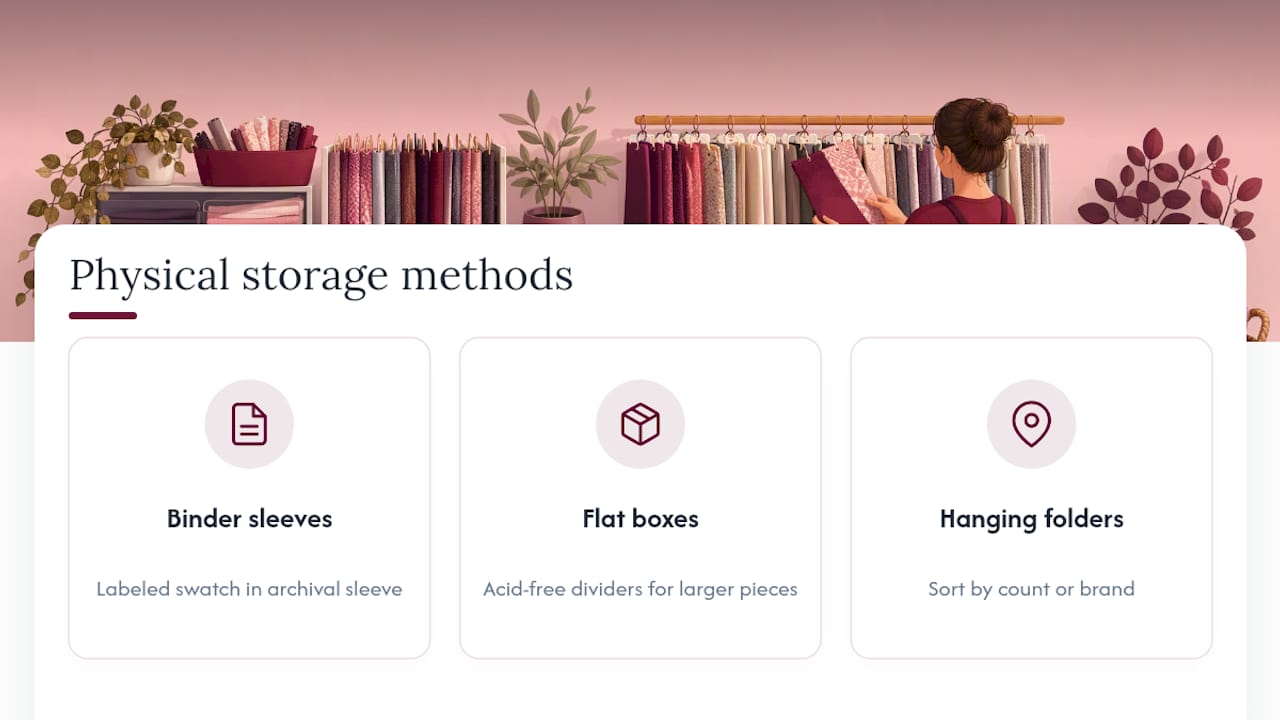
Whichever method you choose, the physical piece and its digital record need to share an ID. Write the same code on the sleeve, the divider tab, or the folder label that appears in your catalog entry. That small habit is what keeps a "where did I put this?" moment from turning into a wasted twenty minutes.
Skip tight folds where you can. Rolling larger pieces around a tube protects the weave far better than years of creasing along the same lines, and it keeps the piece flat enough to photograph cleanly the next time you update the catalog.
Start Small and Iterate: Habits That Keep the Catalog Useful
Cataloging your whole stash in one weekend sounds efficient. It usually isn't. The stitchers who stick with this log active-project fabric first, then chip away at the rest in short sessions, which avoids the burnout that kills most organizing projects by week two.
The real threats to a catalog aren't grand mistakes. They're small habits: skipping the photo because you're "sure you'll remember," inconsistent tags, or forgetting to log a purchase the day it arrives. Fix that last one specifically. Log fabric the moment it comes in the door, run a ten-minute sync once a week, and keep a CSV backup so a lapse in one tool never costs you the whole catalog.
— Simone
How Flossom Supports a Fabric Swatch Catalog
Everything in this guide maps directly onto features built for exactly this workflow. Flossom tracks fabric stash entries with photo attachments and tags, lets you scan a barcode or use a camera color picker instead of typing in a code by hand, and sets low-stock alerts so you catch a shortage before you're mid-project. Every entry syncs across your devices and exports to CSV, so the shopping-list workflow described above works the way it's meant to, on your phone, in the store.
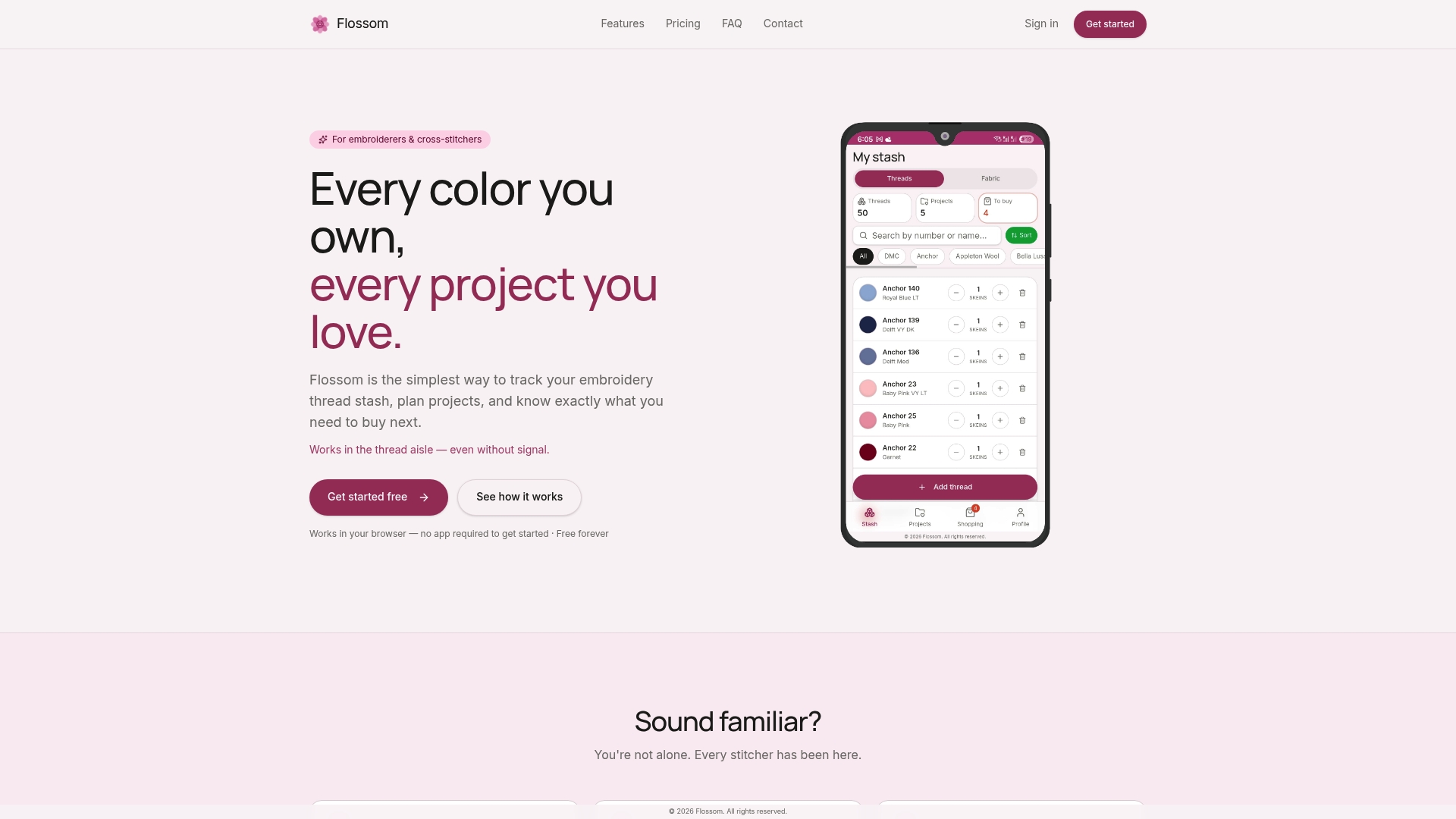
The free tier covers basic thread cataloging with limits on stash and projects, allowing you to test the workflow before committing further. An upgraded plan unlocks additional features including fabric stash tracking, camera color picking, barcode scanning, support for more thread brands, and unlimited projects. A practical first move: catalog the fabric for your three active projects in the free tier, tag each one, and export a CSV to see the workflow end to end. If you're also estimating how long a piece will take once you've matched the fabric, the project time calculator is worth a look before you start cutting.
Sources
- Cross Stitch Stash Management: How to Organise Your Thread and Fabric Collection - TheStitcheryCorner
- Glimsee
- Inventory Tracking: Cross Stitch Patterns, WIPs, and Materials ⋆ Sirious Stitches
Recommended
We make Flossom — the calm app for cross-stitchers and embroiderers who want their stash, projects, fabric and shopping list in one tidy place.