
Flossom Chart Reader
Turn your PDF cross stitch pattern into an interactive chart
Open the PDF pattern you already own. Flossom reads the chart, joins multi-page patterns, removes overlaps, highlights matching symbols and keeps track of your progress as you stitch.
Try the Chart Reader free for 14 days. Upload and inspect your PDF first — your trial only starts when you mark your first stitch.
No payment details required · One trial per account
Includes a one-time 14-day Chart Reader trial — no payment details required. Desktop, tablet & mobile · No app store · Use your existing PDF
A better way to stitch from a PDF
Your chart is spread across pages?
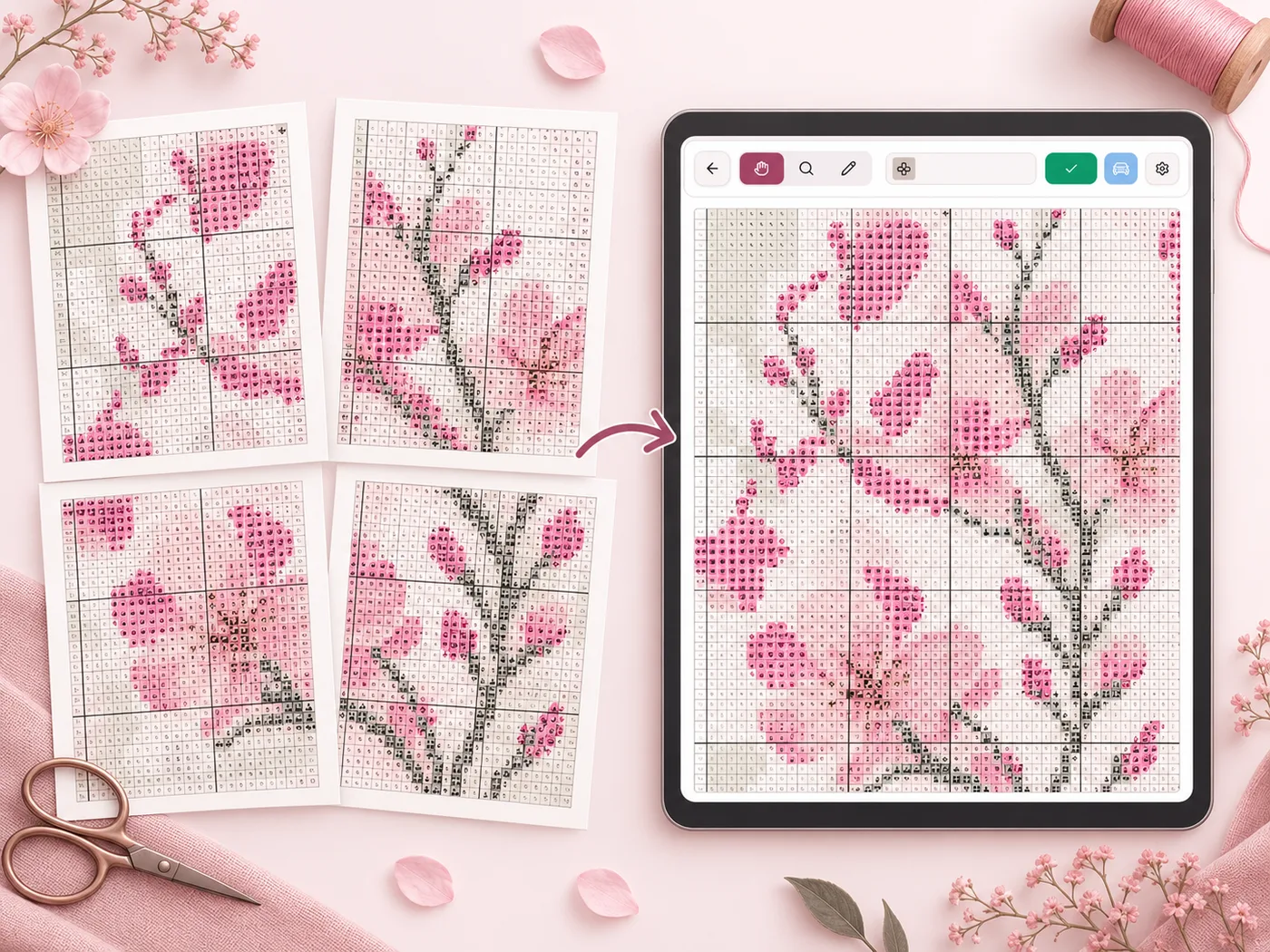
Flossom automatically joins multi-page charts and removes overlapping rows and columns.
Can't tell two symbols apart?
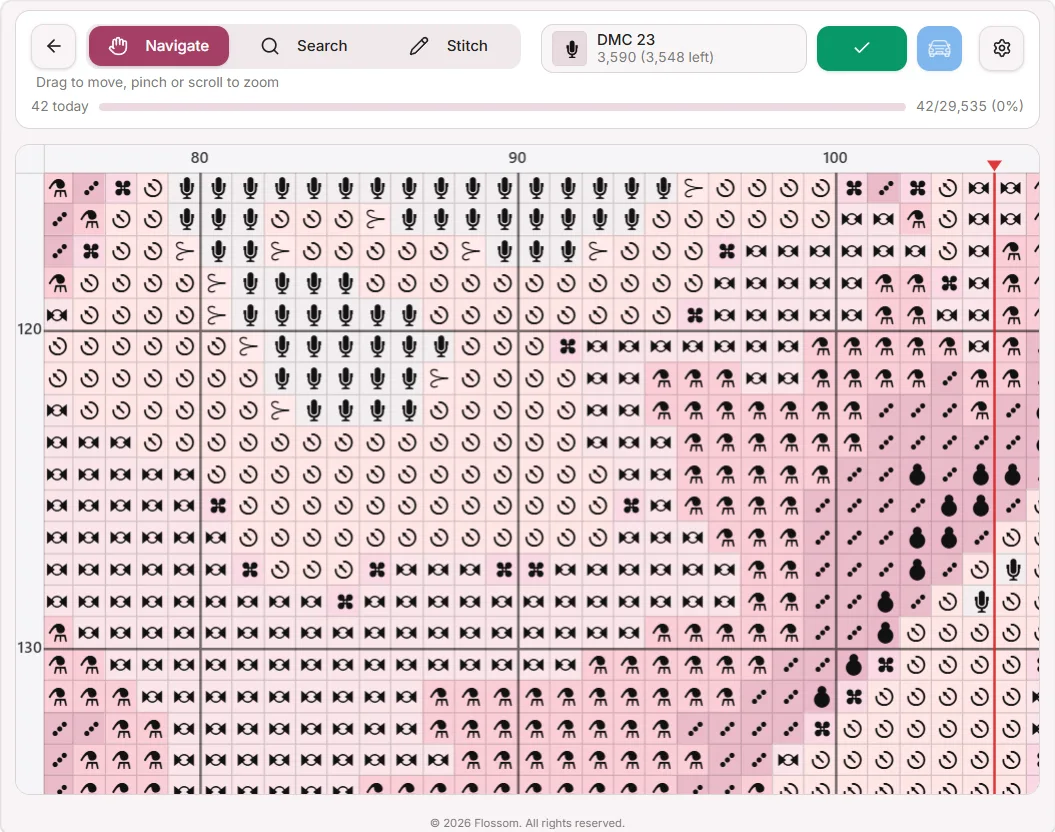
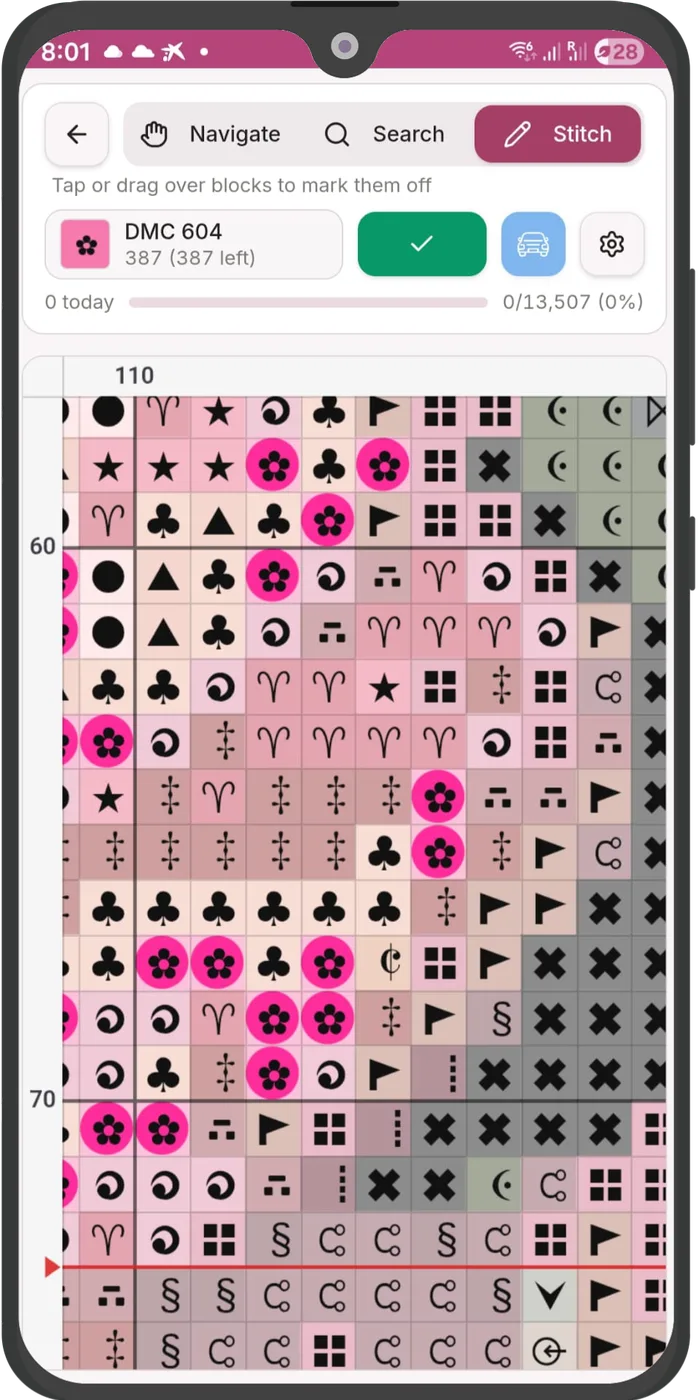
Replace an unclear chart symbol with something easier to recognise while you stitch.
Tired of hunting for every matching stitch?
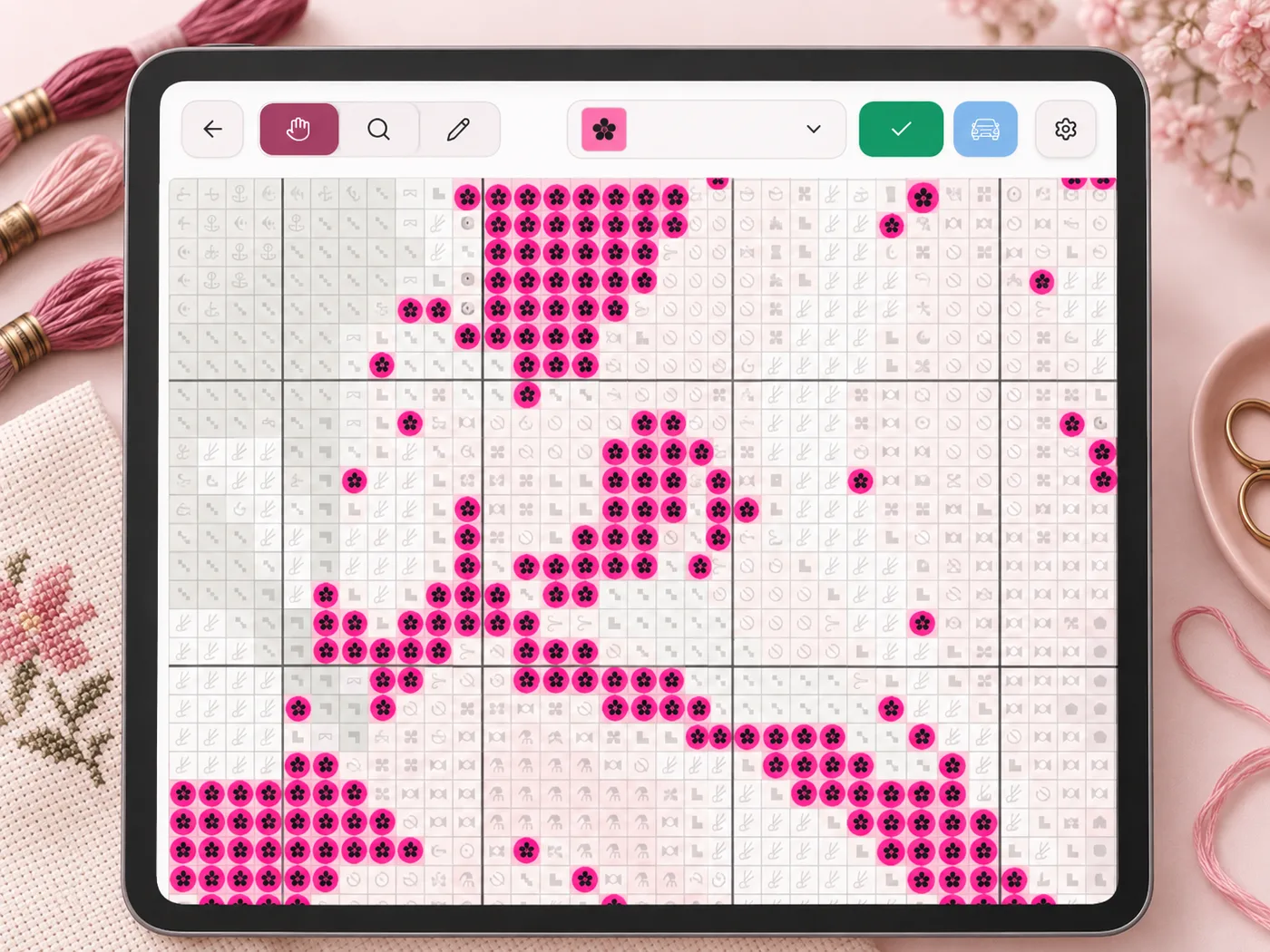
Choose a thread or symbol and highlight all matching stitches across the chart.
Still using a highlighter on printed pages?
Mark stitches digitally and keep your progress saved as you work.
Use the PDF pattern you already bought
Bought your pattern from Etsy, an independent designer or another cross stitch shop?
Upload the PDF you already have. Flossom is designed to work with ordinary cross stitch pattern PDFs without requiring a special Flossom file.
Tested with colour charts, colour blocks with symbols, monochrome symbol charts and multi-page patterns.
One chart. Even when your PDF has 20 pages.
Flossom automatically detects chart pages, joins them into one continuous pattern and removes the overlapping rows and columns used in printed PDFs.
No jumping backwards and forwards between page 7 and page 8. No accidentally stitching the overlap twice.
Tested with colour charts, colour blocks with symbols, monochrome symbol charts and multi-page patterns. It reads blended-thread symbols too.
Find every matching stitch instantly
Choose a thread or chart symbol and Flossom highlights the matching stitches across the pattern.
Highlight matching stitches
See exactly where a colour or symbol appears.
Mark completed stitches
Track what you have already stitched.
See what remains
Keep your progress visible as you work.
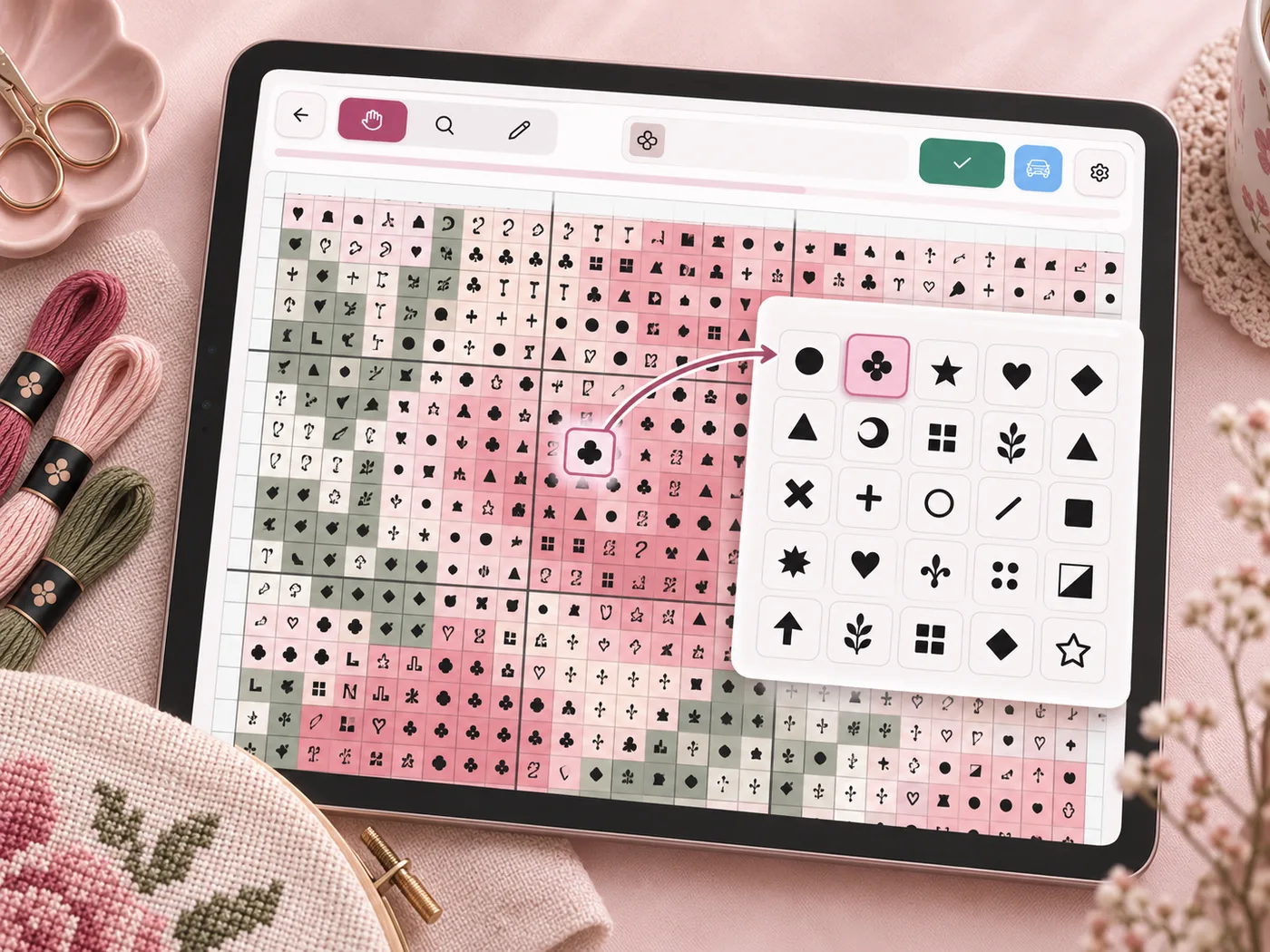
Can't tell one symbol from another? Change it.
Some PDF charts use symbols that are difficult to distinguish, especially on smaller screens. In Flossom, simply click the symbol in the thread list and replace it with something clearer.
Choose from 260+ replacement symbols.
Your chart is connected to the rest of your project
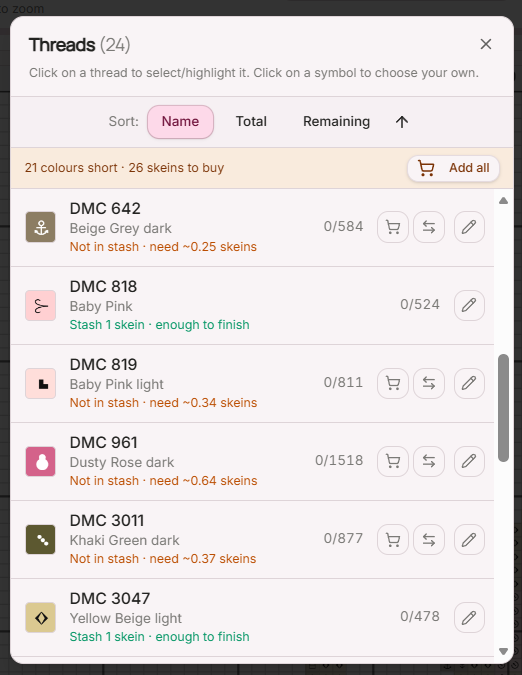
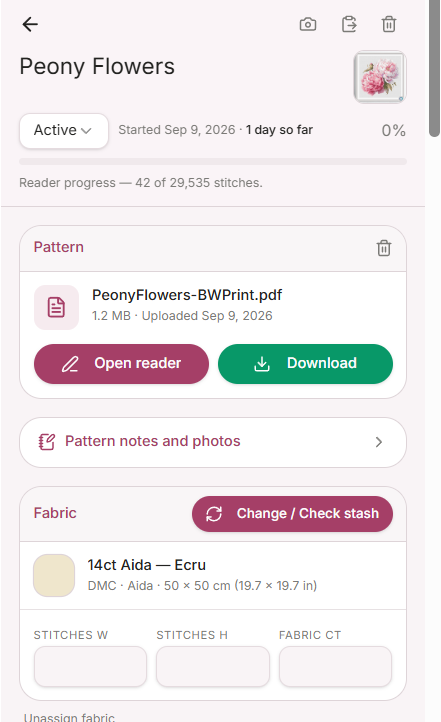
The Reader is not separate from your Flossom project. Your chart colours connect to your project requirements, so you can see what you need, what you already own and what is missing.
Already in your stash
See which project colours you already own before buying more thread.
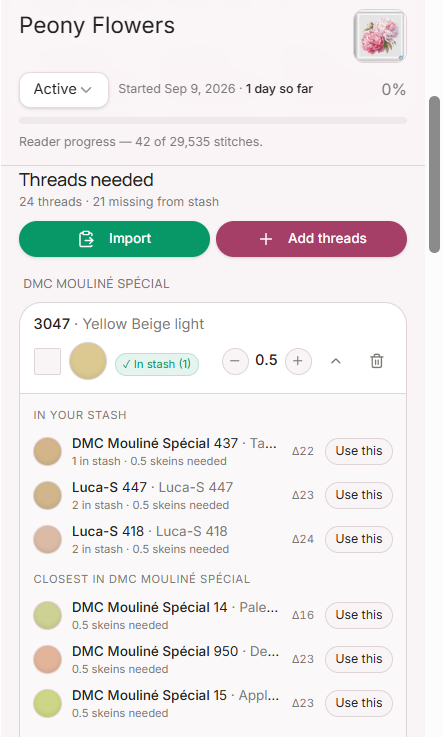
Missing a colour?
Find suitable thread substitutions from the colours you already have.
Need to buy something?
Add missing threads to your Flossom shopping list.
More than a PDF reader
Standalone chart readers help you follow the stitches. Flossom connects your chart to the rest of your project — including your threads, fabric, stash, substitutions and shopping list.
Start on your computer. Stitch on your tablet.
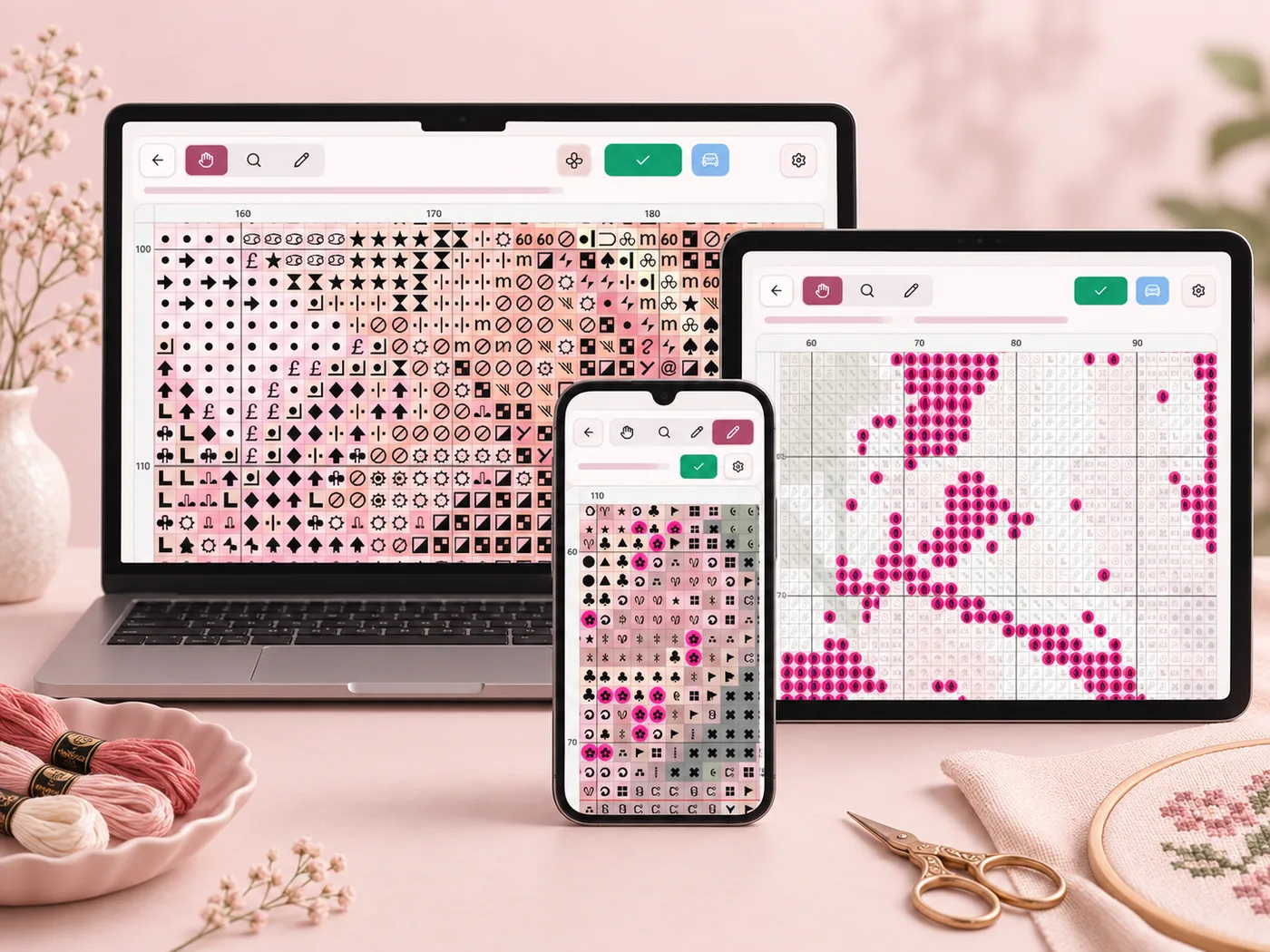
Flossom runs in your browser, so there is no separate app to install and no app-store restriction.
Windows · Mac · Chromebook · iPhone · iPad · Android
Keep stitching even when your connection drops.
Built for real-world cross stitch PDFs
Cross stitch designers use many different chart programs, export settings and layouts. Flossom is built and tested using real PDF patterns rather than relying on one proprietary file format.
Flossom has been successfully tested with colour charts, colour blocks with symbols, monochrome symbol charts, blended-thread symbols and Pattern Keeper-compatible PDF exports from the generators listed above.
However, individual designers may alter export settings, page layouts, fonts, symbols or other elements of their PDF files. Because of this, we cannot guarantee that every PDF created with these programs will be recognised perfectly.
Flossom is continually tested against real-world patterns, and compatibility is improved as new layouts and formats are encountered.
Why stitch with Flossom instead of a standard PDF viewer?
| Feature | Standard PDF viewer | Flossom |
|---|---|---|
| Zoom chart | Yes | Yes |
| Join chart pages | No | Yes |
| Remove page overlaps | No | Yes |
| Highlight matching symbols | No | Yes |
| Replace unclear symbols | No | Yes |
| Edit confetti stitches | No | Yes |
| Mark completed stitches | No | Yes |
| Save progress | No | Yes |
| Connect to thread stash | No | Yes |
| Find thread substitutes | No | Yes |
| Create shopping list | No | Yes |
| Export chart as an OXS file | No | Yes |
From PDF to stitching in three steps
Add your PDF to a project
Add the cross stitch PDF you already own to your Flossom project.
Flossom reads the chart
The Reader processes the chart pages, grid, symbols and colours.
Start stitching — and start your trial
Inspect your chart first. Your 14-day Reader trial only begins when you mark your first stitch complete.
Try the Chart Reader before you pay.
Upload your own PDF and check that Flossom has read it correctly before your trial begins.
Your one-time 14-day Chart Reader trial starts only when you mark your first stitch complete.
No payment details are required, and your chart and progress stay saved if the trial ends.
Made for people who actually stitch from PDFs
“Flossom which now includes a reader (!!!) and enhances my stitching time every time I use it.”
— Cathie Bunch
“Very good program and if you need help, they are very fast answering! Highly recommend. Best of all it’s not difficult to learn.”
— Sylvia A.
“I can tell how much thought has gone into this and I am gobsmacked! Well done!!”
— Denise T.
Chart Reader FAQs
Free trial & plans
About your PDF
While you're stitching
Compatibility
Privacy & ownership
Your pattern stays your pattern
The Flossom Chart Reader is designed for stitchers to use patterns they legitimately own. Importing a PDF into your project does not automatically make that pattern public or add it to the Flossom pattern library.
Ready to put away the highlighter?
Open your PDF pattern in Flossom and stitch from one interactive chart.
Try the Chart Reader free for 14 days — no payment details required.
Your trial only starts when you mark your first stitch.
Flossom Pro is $14.99/year after your trial if you want to keep using the Reader.
Explore Flossom Pro